

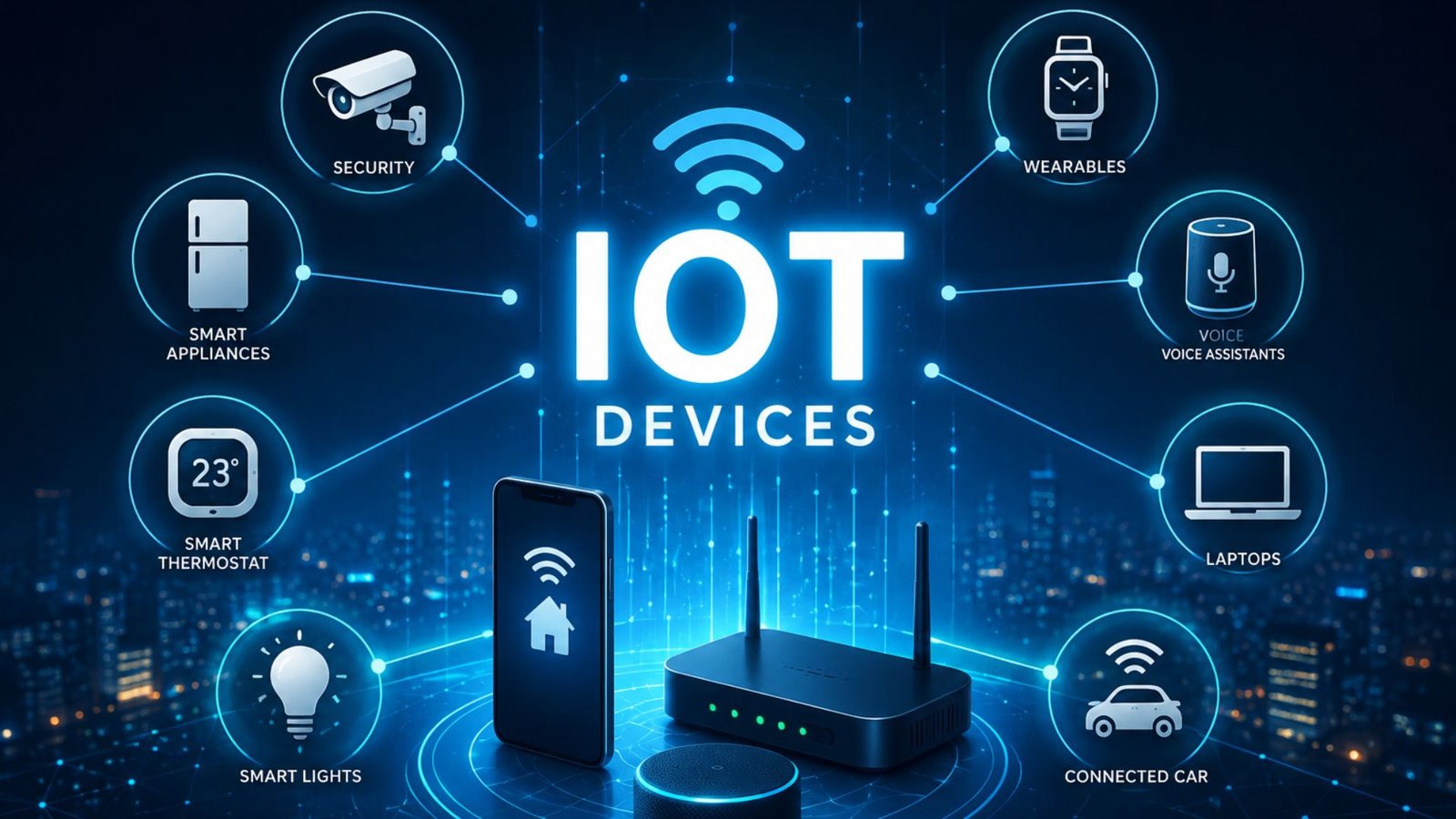
You may already use IoT devices without realizing it. Your smartwatch can track your heart rate, a smart speaker can respond to voice commands, and a security camera can send an alert to your phone when someone approaches your door. These products may look completely different, but they share one important idea: they connect physical objects to digital networks so they can collect, exchange, and sometimes act on data.
So, what are IoT devices exactly, and why are they becoming so common in homes, businesses, factories, cars, and cities?
The Internet of Things (IoT) refers to physical devices equipped with sensors, software, connectivity, and computing capabilities that allow them to communicate with other devices or systems over a network. The useful part isn’t simply that an object connects to the internet. The real value comes from what happens after it connects: data can be collected, analyzed, and turned into an action or useful insight.
This guide explains how IoT devices work, where they are used, their benefits and risks, and what to consider before buying or deploying one.
What Are IoT Devices?
IoT devices are physical objects that can sense information, communicate data, and often respond to instructions without requiring constant human control.
A typical IoT device may contain:
- Sensors to detect temperature, movement, light, pressure, location, or other conditions
- A processor to interpret collected information
- Network connectivity such as Wi-Fi, Bluetooth, cellular, Zigbee, or another communication technology
- Software or firmware that controls the device
- A power source, such as a battery, mains electricity, or a combination of both
- A platform or application that lets users view information or control the device
For example, consider a smart thermostat. It can measure the temperature inside a house, send that information to an app, learn or follow temperature settings, and tell a heating or cooling system when to operate.
That makes it more than an ordinary thermometer. It is a connected device capable of collecting information and participating in an automated system.
How Do IoT Devices Work?
Most IoT systems follow a relatively simple cycle:
Sense → Connect → Process → Act
Imagine a smart door sensor.
- A sensor detects that the door has opened.
- The device sends that information through a wireless connection.
- Software processes the event.
- The system may send an alert to your phone or trigger another connected device.
Depending on the product, processing can happen inside the device, on a local hub, or in a cloud service.
Sensors Are the Starting Point
Sensors give IoT systems awareness of the physical world.
Common examples include:
- Motion sensors
- Temperature sensors
- Humidity sensors
- GPS receivers
- Cameras
- Accelerometers
- Light sensors
- Pressure sensors
- Air-quality sensors
A device doesn’t necessarily need many sensors. Even a single sensor can make an ordinary object considerably more useful when its readings can be analyzed or shared automatically.
Connectivity Moves the Data
Different IoT devices use different communication methods.
Wi-Fi is common for smart home products because it can transfer relatively large amounts of data.
Bluetooth is useful for nearby devices such as fitness trackers, headphones, and sensors.
Cellular networks are valuable when devices need connectivity away from Wi-Fi, such as connected vehicles or remote monitoring equipment.
Other technologies, including Zigbee, Z-Wave, LoRaWAN, and Thread, are often used for specialized or low-power applications.
The important point is that an IoT device doesn’t have to use the public internet directly. Some communicate with a local hub that handles communication with other systems.
Common Examples of IoT Devices
IoT is much broader than smart speakers and connected light bulbs.
Smart Home Devices
Examples include:
- Smart thermostats
- Connected lighting
- Smart locks
- Video doorbells
- Security cameras
- Smart plugs
- Connected appliances
- Smart smoke detectors
A practical advantage is automation. Instead of checking a camera constantly, for example, you can receive an alert only when the system detects relevant activity.
Wearable IoT Devices
Smartwatches, fitness trackers, and other wearables collect information through sensors and transmit it to phones or online services.
They can monitor things such as movement, exercise, sleep patterns, location, and other measurements depending on the device.
The interesting part is that the wearable itself is only one component. The phone app and online platform often provide much of the analysis and long-term usefulness.
Industrial IoT
Industrial IoT, often called IIoT, applies connected technology to factories, warehouses, energy systems, agriculture, and other industrial environments.
For example, sensors attached to machinery can monitor vibration or temperature. A company can use those readings to identify unusual behavior before equipment fails.
This approach can support predictive maintenance, where maintenance is planned based on equipment condition rather than simply following a fixed calendar.
Connected Vehicles
Modern vehicles can contain numerous connected systems.
They may collect information about:
- Vehicle location
- Fuel or battery status
- Driving conditions
- Tire pressure
- Engine performance
- Maintenance requirements
Fleet operators can use this information to monitor vehicles, optimize routes, and reduce unnecessary downtime.
Why Do Businesses Use IoT?
For businesses, IoT is usually valuable because it connects physical operations with measurable data.
Consider a warehouse with hundreds of refrigerated products. Instead of asking employees to manually check temperatures at regular intervals, connected sensors can monitor conditions continuously.
If the temperature moves outside an acceptable range, the system can notify staff.
That creates several potential benefits:
- Faster response to problems
- Less manual monitoring
- Better operational visibility
- Reduced equipment downtime
- More efficient resource usage
- Better decision-making based on real-world data
However, simply installing sensors does not automatically create value. The organization must decide what information matters and what action should happen when a measurement changes.
That’s one of the most overlooked aspects of IoT projects.
IoT vs. Traditional Devices
The easiest way to understand IoT is to compare a conventional device with a connected one.
| Traditional Device | IoT Device |
|---|---|
| Usually operates independently | Communicates with other systems |
| Limited data collection | Can continuously collect data |
| Human controls most functions | Can support automation |
| Little or no remote access | Often supports remote monitoring |
| Function is mostly fixed | Software can add or change capabilities |
For example, a traditional light switch requires someone to physically operate it. A connected light can potentially be controlled by an app, schedule, motion sensor, or another automated system.
The difference is not simply “internet access.” It is the combination of sensing, communication, software, and automation.
Benefits of IoT Devices
Automation
IoT can remove repetitive tasks from everyday routines.
A smart irrigation system, for example, can adjust watering based on schedules, environmental information, or configured conditions rather than requiring manual activation every time.
Real-Time Monitoring
Connected sensors can provide information as conditions change.
This is particularly useful for equipment, buildings, logistics, and security systems where a problem may become expensive if nobody notices it quickly.
Better Efficiency
Organizations can use IoT data to identify wasted energy, inefficient equipment, unnecessary travel, or excessive resource consumption.
Remote Control
Many connected products can be monitored or controlled through a smartphone or computer, which is useful when the user isn’t physically near the device.
Predictive Maintenance
Instead of waiting for equipment to break, organizations can look for warning signs in sensor data.
This can potentially reduce downtime and extend equipment life.
The Security and Privacy Risks
The convenience of connected devices comes with responsibilities.
Every connected device can potentially become another point that needs to be secured.
Common risks include:
- Weak or reused passwords
- Outdated firmware
- Poorly secured networks
- Unnecessary data collection
- Unsupported devices that no longer receive security updates
- Excessive permissions in companion apps
- Insecure communication between devices
Privacy is another consideration. A connected camera, smartwatch, vehicle, or home assistant may collect information about locations, routines, conversations, movements, or other activities.
Before purchasing an IoT product, check whether the manufacturer provides regular security updates and clearly explains what data the product collects.
A Practical Security Rule
Don’t treat a smart device as something you configure once and forget.
Change default credentials, keep firmware updated, use strong account passwords, enable multi-factor authentication when available, and place less-trusted smart devices on a separate network when practical.
Three IoT Insights People Often Miss
1. More Data Doesn’t Automatically Mean Better IoT
It is tempting to install sensors everywhere because collecting data seems useful.
In practice, excessive data can create noise, storage costs, privacy concerns, and complicated decision-making.
A well-designed IoT system usually starts with a question: What decision will this data help us make?
That question is often more valuable than asking which sensor should be purchased.
2. The Cloud Isn’t Always the Best Place to Process Data
Some IoT applications benefit from cloud processing, but others need extremely fast responses or must continue operating when internet connectivity disappears.
For example, a machine safety system shouldn’t necessarily depend on a distant cloud server before taking action.
This is why edge computing is becoming important in IoT. Some processing happens close to the device, reducing latency and allowing certain functions to continue even when connectivity is unreliable.
3. The Cheapest Device Can Become the Most Expensive
The purchase price is only one part of an IoT device’s cost.
Consider batteries, subscriptions, cloud storage, replacement hardware, installation, maintenance, security updates, and compatibility with existing systems.
A slightly more expensive product with long-term software support may ultimately be cheaper than an inexpensive device that becomes unsupported after a short period.
Common IoT Mistakes to Avoid
Whether you’re setting up a smart home or planning an IoT deployment for a business, several mistakes appear repeatedly.
Buying without checking compatibility: A device may work perfectly by itself but fail to integrate with your existing ecosystem.
Ignoring software support: Hardware can remain physically functional while becoming a security problem if updates stop.
Connecting everything to one network: Separating devices where practical can reduce the potential impact of a compromised product.
Focusing only on features: A device with dozens of features isn’t necessarily better than a simpler product that performs one important job reliably.
Forgetting about offline operation: Ask what happens when Wi-Fi or internet access disappears. Some devices become almost useless, while others continue performing essential local functions.
How to Choose an IoT Device
Before buying a connected product, ask these questions:
- What problem am I actually solving?
- What data does the device collect?
- Where is that data stored and processed?
- How long will the manufacturer provide updates?
- Does it require a subscription?
- Will it work with my existing devices?
- What happens if the internet connection fails?
- Can I remove my data or delete my account later?
These questions can reveal important differences between products that appear almost identical on a store shelf.
FAQ About IoT Devices
What is an IoT device in simple terms?
An IoT device is a physical object that can collect information, communicate it, and sometimes respond automatically. Examples include smart thermostats, fitness trackers, security cameras, connected cars, and industrial sensors. The device becomes part of a larger connected system rather than operating completely on its own.
What are some everyday examples of IoT devices?
Common examples include smart watches, smart speakers, smart lights, connected thermostats, video doorbells, smart appliances, fitness trackers, and connected vehicles. Many people use several IoT devices every day without thinking of them as part of one technology category.
Do IoT devices need Wi-Fi?
No. IoT devices can communicate using Wi-Fi, Bluetooth, cellular networks, Zigbee, Thread, LoRaWAN, and other technologies. Some devices also communicate locally with a hub instead of connecting directly to the internet.
Are IoT devices safe to use?
IoT devices can be safe when properly designed, updated, and configured, but security depends heavily on the manufacturer and the user’s setup. Strong passwords, updated firmware, multi-factor authentication, and sensible network configuration can reduce common risks. Devices that no longer receive security updates deserve particular caution.
What is the difference between IoT and smart devices?
The terms overlap, but they aren’t always identical. A smart device generally has enhanced digital capabilities, while an IoT device specifically emphasizes connectivity, data exchange, sensing, or communication with other systems. In everyday conversation, however, many products can reasonably be described using both terms.
Conclusion
IoT devices turn physical objects into connected sources of information and, in many cases, automated action. From a smart thermostat in a home to sensors monitoring industrial machinery, the basic concept remains the same:
sense something, communicate the information, process it, and use the result to make a useful decision or action.
The biggest benefit of IoT isn’t simply being able to control a device from your phone. Its real potential comes from continuous information, automation, early problem detection, and better decisions.
At the same time, connected technology should be chosen carefully. Security updates, privacy practices, compatibility, ongoing costs, and offline behavior can matter just as much as the feature list.
If you approach IoT by starting with the problem rather than the gadget, you’re far more likely to end up with technology that is genuinely useful rather than simply another connected device collecting data.
