

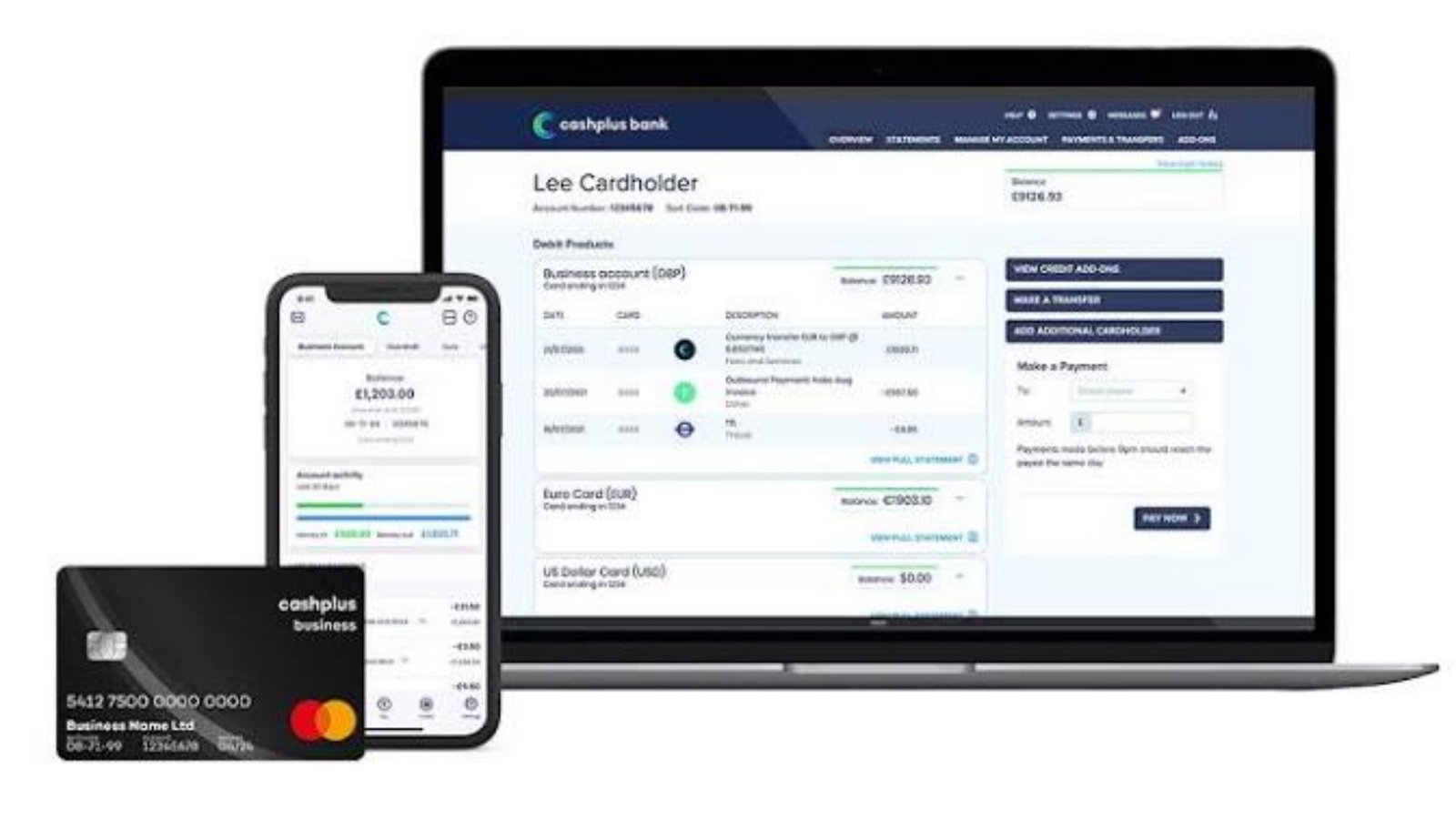
Choosing the wrong online business bank account can cost your company money through hidden fees, payment delays, and poor financial tools. With dozens of banking platforms advertising free accounts, finding a trustworthy option can feel confusing. Some charge for transfers, while others offer limited cash deposits or lack essential business features. This guide compares leading US options, explains account requirements, and helps you choose a secure, affordable way to manage business finances.
What Is an Online Business Bank Account?
An online business bank account is a financial account that lets a company manage its money through a website or mobile app. Business owners can typically receive payments, transfer funds, pay expenses, review transactions, and download financial statements without visiting a branch.
Unlike a personal checking account, a business account is designed to handle commercial transactions. It helps separate company income and expenses from personal spending.
Depending on the provider, an account may include debit cards, invoicing, accounting integrations, employee access, and payment management tools.
Some accounts are provided directly by FDIC-insured banks. Others are offered through financial technology companies that partner with regulated banks to deliver banking services.
What Can You Do With an Online Business Account?
Common features include:
- Receive customer payments through ACH transfers.
- Pay suppliers and contractors.
- Send domestic or international wire transfers.
- Manage recurring business expenses.
- Deposit checks using a mobile device.
- Create virtual or physical debit cards.
- Download bank statements for tax preparation.
- Connect bookkeeping software.
- Monitor business cash flow.
- Organize money for taxes, payroll, and operating costs.
The exact features depend on the provider and account type. For example, some online platforms do not support physical cash deposits, while others charge additional fees for the service.
Why Should You Open an Online Business Bank Account?
Opening an online business bank account helps business owners organize finances, maintain cleaner records, and manage payments more efficiently.
Separating business and personal money also makes it easier to identify operating expenses and prepare accurate financial reports.
For LLCs and corporations, maintaining separate finances supports the distinction between the business entity and its owners. However, a separate account alone does not guarantee liability protection.
Main Benefits for Small Businesses
Financial organization: Keeping business transactions in one place makes income and expenses easier to track.
Professional payments: Customers can pay the business under its registered name when supported by the bank.
Simpler bookkeeping: Accounting software integrations can reduce manual transaction entry.
Convenient access: Business owners can review transactions and manage payments from different locations.
Expense management: Additional cards and user permissions can help manage employee spending.
Lower potential costs: Some digital platforms eliminate monthly maintenance fees and minimum balance requirements.
Personal vs. Business Bank Account
| Feature | Personal Checking | Business Checking |
|---|---|---|
| Main purpose | Individual spending | Commercial transactions |
| Account ownership | Individual | Business or eligible individual proprietor |
| Business-name payments | May be restricted | Generally supported |
| Employee permissions | Usually limited | Available with selected providers |
| Accounting integration | Less specialized | Often available |
| Business payment tools | Limited | ACH, wires, bill pay, invoicing |
| Required documents | Personal identification | Identification and business records |
| Business expense tracking | Manual separation needed | Easier transaction separation |
| Tax preparation | More complicated when mixed | Cleaner business records |
For a registered company, using an account intended for business transactions is usually the more practical approach.
Best Online Business Bank Account in 2026: Top Options Compared
The best online business bank account depends on your business model, transaction volume, cash deposits, and software requirements.
A freelancer with irregular income may prefer free bookkeeping tools. A growing LLC may need multiple accounts, employee permissions, and reliable wire transfers.
The comparison below uses publicly advertised US account features rather than promotional rankings or affiliate commissions.
Complete Online Business Bank Account Comparison
| Provider | Advertised Basic Monthly Fee | Main Strength | Important Limitation |
|---|---|---|---|
| Bluevine Standard | $0 | Interest opportunities and subaccounts | Interest eligibility conditions apply |
| Mercury | $0 | Digital business payments and financial controls | No traditional branch network |
| Relay Starter | $0 | Multiple accounts and cash organization | Advanced tools may require a paid tier |
| Found Free | $0 | Freelancer bookkeeping and expense tracking | Certain outgoing payments cost extra |
| Chase Business Complete Banking | $15, waivable | Branch access and cash deposits | Fee waiver requires qualifying activity |
Comparison based on provider disclosures reviewed in October 2026. Features, eligibility, fees, and interest rates can change. Not every financial technology platform is itself a bank.
1. Bluevine: Suitable for Businesses Wanting Interest and Digital Payments
Bluevine offers several business checking plans, including its Standard account with no required monthly subscription fee.
Its Standard plan advertises an opportunity to earn interest, subject to eligibility requirements. It also provides subaccounts, invoicing, payment tools, and ACH capabilities.
Important features:
- No monthly subscription fee for Standard.
- Up to five subaccounts.
- Standard ACH transfers.
- Digital payment management.
- Potential interest earnings on eligible balances.
- Business invoicing functionality.
Bluevine advertises a 1.30% APY on eligible Standard balances up to $250,000. Rates are variable, and account holders must satisfy the applicable requirements.
Its higher-tier plans offer additional benefits but may involve subscription fees unless waiver conditions are met.
Best suited for: Small businesses that maintain cash balances and want digital checking tools.
2. Mercury: Suitable for Startups and Digital Companies
Mercury provides online financial services for businesses, including checking and savings accounts through partner banks.
Its free offering includes ACH payments, domestic wire transfers, virtual and physical cards, and accounting software connections.
Important features:
- No monthly fee for basic checking.
- No minimum account balance requirement.
- Free domestic ACH payments.
- Free domestic USD wires.
- Available USD international wire transfers.
- Employee cards and spending controls.
- Accounting integrations.
Certain services, including foreign-currency transactions, premium workflows, and advanced financial products, carry charges.
Mercury is a financial technology company rather than an FDIC-insured bank. Banking services are provided through its partner institutions.
Best suited for: US-registered startups, online agencies, software companies, and businesses needing frequent electronic payments.
3. Relay: Suitable for Businesses Managing Multiple Budgets
Relay offers business banking services through banking partners, with account features designed around cash-flow organization.
Its Starter plan has no monthly maintenance fee and supports multiple checking accounts.
This structure can help businesses separate money for operating expenses, taxes, payroll, and retained profit.
Important features:
- No monthly maintenance fee on Starter.
- Up to 20 checking accounts for eligible businesses.
- Up to 10 checking accounts for sole proprietorships.
- Two savings accounts on Starter.
- Debit card access.
- Accounting connections.
- Payment management tools.
Businesses with more complex automation requirements may need a higher-tier plan.
Best suited for: Agencies, service businesses, and owners using a cash-allocation budgeting system.
4. Found: Suitable for Freelancers and Independent Contractors
Found combines business banking services with tools for managing self-employed finances.
Its free account includes basic expense tracking, transaction management, invoicing, and debit card functionality.
Found can be useful for freelancers who want a simple system rather than separate banking and expense-tracking applications.
Important features:
- No required monthly subscription fee.
- No required minimum balance.
- Digital expense categorization.
- Invoicing tools.
- Contractor payment features.
- Physical and virtual debit cards.
- Business financial reporting.
Some premium functions require a subscription. For example, Found’s published pricing lists a $15 fee for outgoing domestic wires on the free plan.
Best suited for: Freelancers, independent professionals, and small service businesses.
5. Chase: Suitable for Businesses That Need Physical Branches
Chase Business Complete Banking combines digital account management with a nationwide branch network.
It can be more practical than a digital-only provider for businesses receiving cash, using branch services, or needing direct assistance.
Important features:
- Online and mobile business banking.
- Access to physical branches.
- Debit card services.
- Payment acceptance features.
- Business transaction monitoring.
- Selected cash deposit allowances.
- Invoicing and payment tools.
Its published monthly service fee is $15, but qualifying customers can avoid the charge by meeting specific requirements.
Certain cash deposits, transactions, and additional services may incur fees.
Best suited for: Retail stores, restaurants, local service providers, and businesses needing occasional branch access.
Free Online Business Bank Account: Are There Really No Fees?
A free online business bank account generally means there is no required monthly maintenance or subscription fee.
However, free does not necessarily mean every transaction is free.
Providers may charge for wire transfers, expedited payments, cash deposits, foreign exchange, card replacement, or premium software features.
What Does a Free Account Usually Include?
Many free business checking options provide:
- Basic account maintenance.
- Online transaction monitoring.
- Standard electronic transfers.
- Digital bank statements.
- Debit card access.
- Mobile account management.
- Basic payment controls.
Some platforms offer more features than others, so reviewing the complete fee schedule is essential.
Best Free Online Business Bank Account Comparison
| Provider | Basic Monthly Fee | Free Standard ACH | Main Advantage |
|---|---|---|---|
| Bluevine Standard | $0 | Yes | Eligible interest earnings |
| Mercury Basic | $0 | Yes | Free domestic USD wires |
| Relay Starter | $0 | Available within plan terms | Multiple checking accounts |
| Found Free | $0 | Yes | Integrated financial tracking |
These are examples of low-cost options, not a guarantee that every applicant will qualify or that all transactions are free.
Can You Get an Online Business Bank Account With No Fees?
An online business bank account no fees search usually reflects an interest in avoiding recurring charges.
For a company that only receives domestic ACH transfers and pays bills electronically, a free-tier account may have very low routine costs.
But businesses handling international payments, cash deposits, or urgent transfers should calculate their expected transaction charges.
A zero-dollar monthly fee can still become expensive if important services are billed separately.
How to Open an Online Business Bank Account Step by Step
You can open an online business bank account by choosing an eligible provider, preparing business documents, submitting an application, and completing identity verification.
The process may take only a short time for straightforward applications. More complex ownership structures can require additional review.
Step 1: Choose the Right Provider
Compare accounts based on your business’s actual payment needs.
If you expect frequent domestic transfers, check ACH and wire costs. If you accept cash, verify deposit access before applying.
Step 2: Prepare Your Business Details
Banks typically request information about the registered business, its owners, and its activities.
Prepare the company’s legal name, address, tax identification details, and supporting documents.
Step 3: Complete the Online Application
Visit the provider’s official application process and enter the required information.
Use your business’s legal details consistently. Differences between registration documents and application information can delay approval.
Step 4: Verify Your Identity
The provider may request a government-issued identity document and information about individuals who own or control the business.
Additional verification can include supporting documentation or questions about business activities.
Step 5: Submit Your Application
Review the terms, payment limits, deposit insurance arrangements, and fee schedule before submitting.
The provider may approve the account, request further documents, or decline the application.
Step 6: Fund and Activate the Account
After approval, follow the provider’s instructions to deposit funds or connect an existing account.
Some business accounts have no opening deposit requirement, while others may specify minimum funding conditions.
Step 7: Set Up Business Payments
Once the account is operational, configure payment methods and appropriate security controls.
You may then connect accounting software, issue invoices, add authorized employees, and establish recurring supplier payments.
Online Business Bank Account Opening Checklist
| Step | Required Action | Purpose |
|---|---|---|
| 1 | Compare account options | Find suitable features and fees |
| 2 | Gather company documents | Confirm business registration |
| 3 | Provide tax identification | Meet provider requirements |
| 4 | Verify owners and controllers | Complete identity checks |
| 5 | Review the agreement | Understand costs and restrictions |
| 6 | Submit the application | Request account approval |
| 7 | Fund the account | Activate financial operations |
| 8 | Enable account security | Protect company funds |
| 9 | Connect bookkeeping tools | Organize financial records |
Online Business Bank Account for LLC: What Documents Do You Need?
An online business bank account for LLC helps separate the limited liability company’s transactions from its members’ personal finances.
Banks usually require evidence that the LLC exists and information identifying the people authorized to manage its money.
The exact requirements depend on the institution, the LLC’s ownership structure, and the states involved.
Documents Commonly Requested for an LLC
| Document | Purpose | Common Requirement |
|---|---|---|
| Articles of Organization | Establishes LLC formation | Usually required |
| Employer Identification Number | Identifies the business for tax purposes | Commonly required |
| Operating Agreement | Explains ownership and management authority | May be required |
| Government-issued ID | Verifies applicants and owners | Required for relevant individuals |
| Business address | Establishes operating location | Required |
| Ownership details | Identifies beneficial owners | Required as applicable |
| Business licence | Supports regulated business activities | Sometimes required |
| Certificate of Good Standing | Confirms registration status | Sometimes requested |
Does a Single-Member LLC Need a Separate Bank Account?
A single-member LLC should generally maintain a business account to support clear financial separation.
This makes it easier to document business expenses, reconcile transactions, and demonstrate that company funds are handled separately.
For tax purposes, a single-member LLC may be treated differently depending on its elections and circumstances.
The banking and legal implications should be assessed separately from federal tax classification.
Can a Non-US Resident Open an LLC Business Account?
Some US financial providers consider applications from owners who live outside the United States.
However, eligibility varies significantly based on the company’s formation, operating activities, ownership, location, and required identification.
A US LLC registration and EIN do not guarantee approval.
Applicants should verify the provider’s residency restrictions and country eligibility before paying formation expenses solely to obtain banking access.
Can You Open an Online Business Bank Account Without an EIN?
Some sole proprietors may be eligible to open business checking using a Social Security number rather than an Employer Identification Number.
For LLCs, corporations, and partnerships, financial institutions commonly require an EIN.
The Internal Revenue Service issues EINs without charging an application fee.
When Is an EIN Necessary?
An EIN is commonly needed when a business:
- Hires employees.
- Operates as a corporation or partnership.
- Files certain employment or excise tax returns.
- Applies for financial services requiring business tax identification.
- Needs to satisfy specific licensing or regulatory requirements.
Not every business entity has identical federal EIN requirements, but an account provider may impose its own documentation rules.
How Can You Obtain an EIN?
Eligible applicants can request an EIN directly through the IRS.
The IRS online application is free and can issue a number immediately after successful completion.
Businesses with principal locations outside the United States may need to use a different IRS application method.
Avoid services that suggest a paid third-party EIN application is mandatory.
Online Business Bank Account No Credit Check: Is It Possible?
An online business bank account no credit check option generally refers to deposit accounts that do not require traditional credit underwriting.
Opening a checking account differs from applying for a loan or credit card.
However, that does not mean the provider skips identity verification, fraud screening, or financial history checks.
Credit Check vs. Banking History Check
| Type of Check | What It Examines | Possible Purpose |
|---|---|---|
| Credit inquiry | Credit history or obligations | Credit-related eligibility and risk |
| Identity verification | Personal identifying information | Fraud prevention and legal compliance |
| Business verification | Formation and ownership records | Confirm company legitimacy |
| Banking history screening | Previous account activity and reported problems | Account risk assessment |
| Transaction monitoring | Account activity and payment patterns | Fraud and regulatory compliance |
Some checking accounts do not require a hard credit inquiry. Others may conduct screening that applicants should review before submitting information.
Can You Get an Account With Bad Credit?
A poor personal credit score does not automatically prevent every business checking application.
Nevertheless, providers can decline applications based on identity concerns, previous account closures, fraud indicators, restricted activities, or other policies.
Never assume approval is guaranteed because an account is advertised as easy to open.
Which Is the Easiest Online Business Bank Account to Open?
An easy online business bank account usually has a digital application, clear document requirements, and a straightforward verification process.
Ease of application does not necessarily mean fewer legal checks.
A legitimate provider still needs to establish the identity of the applicant and understand the nature of the business.
What Makes Account Opening Easier?
The process is generally smoother when:
- Your company registration is complete.
- The business name matches official documents.
- Your EIN documentation is available.
- Ownership is clearly documented.
- Your identification is valid.
- Your business address meets the provider’s rules.
- You can explain your products, services, and expected transactions.
Providing accurate information reduces the likelihood of requests for additional documentation.
What Fees Should You Compare Before Opening an Account?
Fees can have a greater effect on operating costs than small differences in interest rates.
For example, a company that sends international payments every week may find wire charges more important than an account’s monthly maintenance cost.
An online business bank account comparison should therefore reflect how you actually move money.
Complete Business Banking Fee Checklist
| Fee Category | What It Means | What to Check |
|---|---|---|
| Monthly maintenance | Regular account charge | Waiver conditions |
| Opening deposit | Required initial funding | Minimum amount |
| ACH transfer | Domestic electronic bank payment | Standard and expedited fees |
| Domestic wire | Faster US bank transfer | Sending and receiving costs |
| International wire | Cross-border bank transfer | Transfer and intermediary fees |
| Currency conversion | Exchange between currencies | Markup and exchange rate |
| Cash deposit | Depositing physical currency | Limits and service costs |
| ATM withdrawal | Withdrawing cash | Network and operator fees |
| Check service | Physical check payments | Printing and sending charges |
| Additional user | Employee account access | Free and paid user limits |
| Premium features | Advanced financial tools | Subscription cost |
| Account closure | Closing the account | Any early termination charges |
Example: Which Account Is Cheaper?
Consider two hypothetical business checking accounts.
| Cost Factor | Account A | Account B |
|---|---|---|
| Monthly maintenance | $0 | $15 |
| Domestic outgoing wire | $20 | $0 |
| Monthly outgoing wires | 3 | 3 |
| Monthly wire charges | $60 | $0 |
| Total monthly cost | $60 | $15 |
| Estimated annual cost | $720 | $180 |
In this example, the account with a monthly fee costs $540 less per year.
The lesson is simple: compare total expected costs rather than focusing only on whether the account is advertised as free.
Is an Online Business Bank Account Safe?
A legitimate online business bank account can provide strong security, but safety depends on the institution, account structure, and fraud controls.
One important distinction is whether you are depositing directly with an insured bank or using a nonbank financial technology platform.
The Federal Deposit Insurance Corporation (FDIC) provides deposit insurance for eligible accounts held at insured US banks.
How Does FDIC Insurance Work?
Standard FDIC deposit insurance generally covers up to $250,000 per depositor, per insured bank, for each ownership category.
Eligible business deposits may qualify for coverage, but the account’s legal ownership and applicable insurance rules matter.
Some financial platforms distribute eligible deposits among multiple partner banks. This arrangement may provide access to increased aggregate coverage when the legal requirements are satisfied.
However, the platform itself is not necessarily FDIC-insured.
Traditional Bank vs. Fintech Banking Platform
| Security Factor | FDIC-Insured Bank | Nonbank Fintech Platform |
|---|---|---|
| Institution status | Regulated depository institution | Financial technology provider |
| Direct FDIC insurance | Eligible deposits covered | Platform itself not FDIC-insured |
| Partner bank reliance | Not always necessary | Common |
| Pass-through insurance | Not applicable to ordinary direct deposits | May apply if requirements are satisfied |
| App access | Bank’s digital systems | Provider’s digital systems |
| Protection against fintech failure | Not applicable in the same way | FDIC insurance does not cover fintech insolvency |
| Account access risk | Operational interruptions possible | Operational and intermediary risks possible |
Essential Account Security Features
Before depositing substantial business funds, look for:
- Multifactor authentication.
- Transaction alerts.
- Employee access permissions.
- Transfer approval controls.
- Ability to freeze or disable cards.
- Clear customer support procedures.
- Fraud reporting and dispute processes.
- Identification of the actual deposit-holding bank.
Important: FDIC insurance protects eligible deposits when an insured bank fails. It does not provide blanket protection against scams, account takeovers, payment fraud, or the bankruptcy of a nonbank financial technology provider.
What Is the Best Online Business Bank Account App?
The best online business bank account app should make routine financial tasks easier without compromising security.
For many business owners, practical functionality matters more than visual design.
A good app should provide a clear transaction history, quick access to account information, payment tools, and appropriate user permissions.
Features Worth Comparing
| App Feature | Why It Matters |
|---|---|
| Real-time transaction updates | Helps monitor cash flow |
| Mobile check deposit | Reduces branch visits |
| ACH transfer management | Supports supplier and customer payments |
| Virtual cards | Simplifies controlled online spending |
| Receipt management | Improves bookkeeping records |
| Multiple user permissions | Supports growing teams |
| Accounting integration | Reduces manual work |
| Payment approvals | Strengthens internal controls |
| Account notifications | Helps identify unusual activity |
| Customer support | Assists with payment and access problems |
For a freelancer, Found’s integrated expense tools may be useful. For a growing digital company, Mercury’s payment controls and financial workflows may be more appropriate.
For businesses managing several financial categories, Relay’s multiple-account structure can be attractive.
These are feature-based comparisons, not independent app performance rankings. Software availability, customer satisfaction, and security features should be checked before making a final choice.
US Online Business Bank Account: Who Is Eligible?
A US online business bank account generally requires an eligible business, verifiable ownership, and documents that satisfy the provider’s compliance requirements.
Banks assess applications under their own policies as well as applicable anti-money-laundering and identity-verification rules.
Eligibility can depend on business structure, location, activity, ownership, and other factors.
Eligibility by Business Structure
| Business Type | Commonly Eligible? | Main Documentation |
|---|---|---|
| Sole proprietorship | Yes | Personal identification and tax information |
| Single-member LLC | Yes | LLC documents, EIN as required, identification |
| Multi-member LLC | Yes | Formation records, ownership and management details |
| Corporation | Yes | Incorporation documents, EIN, authorized signers |
| Partnership | Yes | Partnership agreement and tax identification |
| Nonprofit | With eligible providers | Formation, tax, and authorization records |
| Non-US company | Provider-dependent | Foreign registration and verification documents |
| US LLC with foreign owners | Provider-dependent | US formation records and additional ownership verification |
Can You Apply Without Visiting a Branch?
Many providers support fully digital applications for eligible businesses.
However, some applicants may need additional verification. A conventional bank may also request a branch visit for particular business structures or transactions.
Online application availability does not guarantee remote approval for every customer.
What Mistakes Should You Avoid When Opening a Business Account?
Many account-opening problems arise from incomplete documents, inaccurate ownership information, or choosing an account based only on advertising.
Reviewing these details before applying can prevent costly interruptions.
Common Mistakes
- Mixing personal and business transactions: This complicates bookkeeping and may create legal or accounting problems.
- Ignoring transfer fees: A free checking plan may charge for outgoing wires.
- Choosing a provider without cash deposit access: This can inconvenience retail businesses.
- Assuming a fintech is a bank: Confirm the underlying financial institution and deposit arrangements.
- Using inconsistent business information: Application details should match official records.
- Overlooking user permissions: Employees should receive only the financial access they need.
- Ignoring account restrictions: Some industries and transaction types may not qualify.
- Relying on interest rates alone: Variable rates and eligibility requirements can reduce expected earnings.
How to Choose With Confidence
Begin with the financial services your business uses most often.
A company collecting customer payments through ACH may need inexpensive transfers and strong bookkeeping integration. A physical retailer may require reliable cash deposits and branch access.
Match account features to your operating activities before considering premium services or promotional bonuses.
Can You Have More Than One Online Business Bank Account?
Yes. Many businesses use more than one account to organize payments, reserves, and operating expenses.
A second account can help separate tax savings from day-to-day spending or provide another payment option when operational problems occur.
Some digital providers also offer subaccounts within a single financial relationship.
Example Business Account Structure
| Account Purpose | Money Held | Main Use |
|---|---|---|
| Operating account | Customer revenue | Everyday business expenses |
| Tax reserve | Money allocated for tax obligations | Estimated tax payments |
| Payroll account | Employee compensation budget | Wages and payroll obligations |
| Emergency reserve | Business savings | Unexpected costs |
| Expansion account | Retained business funds | Future equipment or growth |
The correct structure depends on your company’s cash flow, legal obligations, and accounting practices.
Opening several accounts does not automatically multiply FDIC insurance coverage. Insurance limits depend on the insured bank, ownership category, and other applicable rules.
When Should You Switch Your Business Bank Account?
Switching can make sense when your current account no longer supports your business needs.
Frequent payment delays, rising transaction costs, inadequate tools, or poor customer service may justify comparing alternatives.
However, moving accounts requires careful planning to avoid interruptions.
Business Banking Transfer Checklist
- Open and verify the replacement account.
- Test incoming and outgoing payments.
- Update customer payment instructions.
- Change supplier and subscription payment details.
- Update payroll arrangements.
- Review outstanding checks and transfers.
- Download previous statements.
- Keep the old account funded while transactions settle.
- Confirm all recurring payments have moved.
- Close the old account only after completing reconciliation.
Keep records of the transition for bookkeeping and tax purposes.
Frequently Asked Questions About Online Business Bank Accounts
1. What is the best online business bank account for a small business?
The best online business bank account depends on transaction requirements, fees, and business structure.
Bluevine may suit businesses seeking eligible interest earnings, Mercury offers useful digital payment capabilities, Relay supports multiple-account budgeting, and Found focuses on self-employed financial management.
Businesses needing physical cash deposits should also compare traditional banks such as Chase.
2. Can I open an online business bank account for free?
Yes. Several US providers offer online business bank account free or zero-monthly-fee plans.
Examples include Bluevine Standard, Mercury’s basic offering, Relay Starter, and Found Free.
However, a free monthly plan may still charge for certain wires, currency conversions, cash deposits, or premium services.
3. Can I open an online business bank account for an LLC without visiting a branch?
Yes. Many financial providers support digital applications for eligible LLCs.
You generally need formation documents, tax identification information, ownership details, and valid identification.
Some applications require additional verification, and approval is never guaranteed.
4. Can I get an online business bank account with no credit check?
Some business checking providers do not require traditional credit underwriting to open a deposit account.
However, identity verification, business verification, and banking history screening may still apply.
A no-credit-check claim should not be interpreted as an account without compliance checks.
5. What documents do I need when opening an online business bank account?
Common requirements include government-issued identification, an EIN or eligible alternative tax identification number, formation documents, business address information, and ownership records.
LLCs may also need an operating agreement. Corporations and partnerships may have additional authorization requirements.
The provider determines the documents necessary for approval.
6. Is an online business bank account better than a traditional bank account?
An online-first account can offer lower fees, convenient digital access, and financial management tools.
A traditional bank may be preferable for companies requiring frequent cash deposits, branch services, or particular lending relationships.
The best option is the one that meets your company’s payment needs, security expectations, and overall budget.
Final Verdict: Which Online Business Bank Account Should You Choose?
Choosing an online business bank account should begin with how your company earns, spends, and manages money.
For freelancers, Found provides useful financial tracking features. For digitally operated LLCs and startups, Mercury offers practical payment management capabilities. Relay is worth evaluating for businesses that want multiple accounts to organize cash flow, while Bluevine can appeal to companies seeking eligible interest earnings.
Chase remains a relevant alternative for businesses that value physical banking services alongside online access.
No single provider is ideal for every business. A free account may become expensive when transaction charges accumulate, while an account with a monthly fee can offer better value if it includes services you use frequently.
