

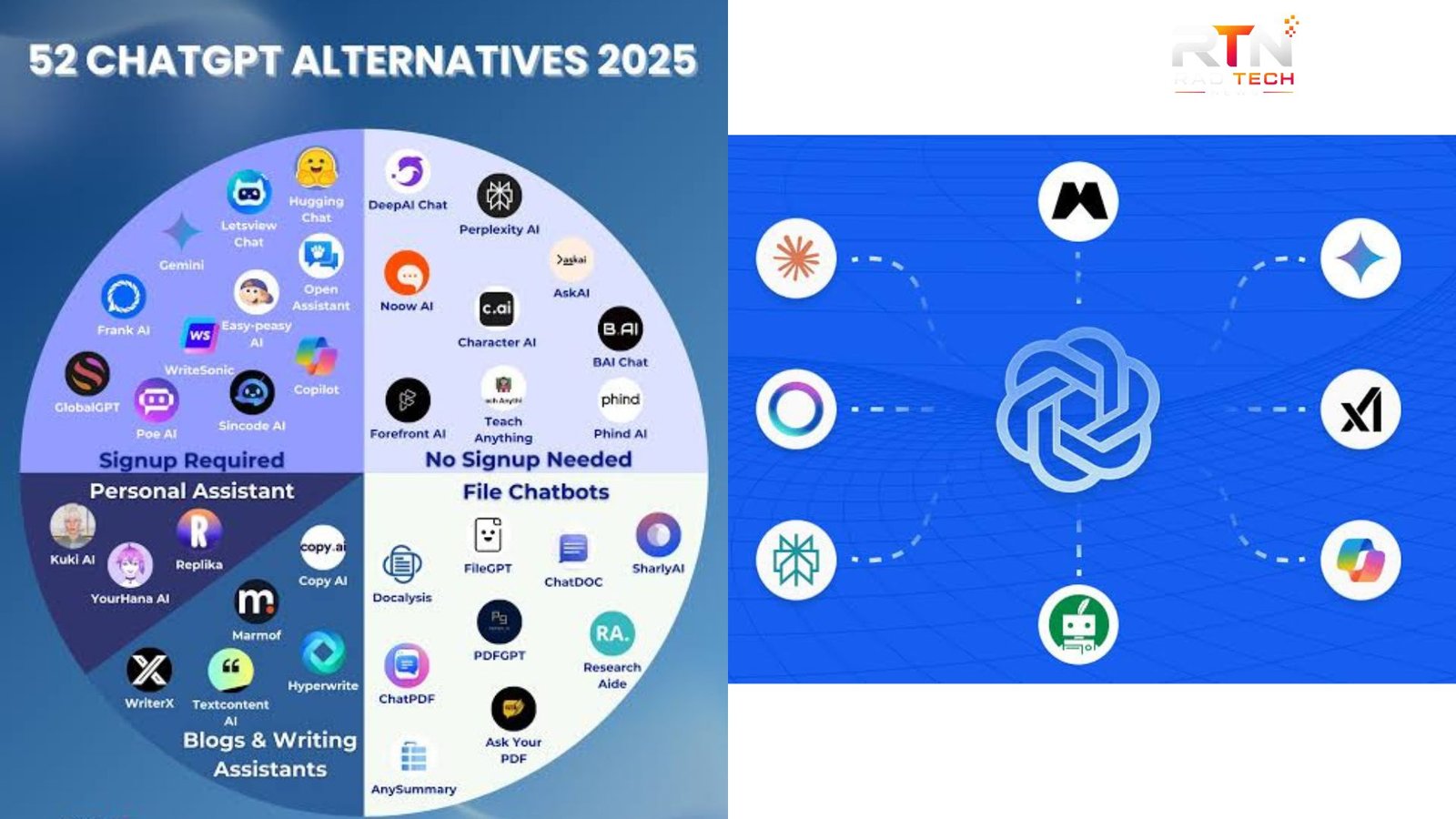
ChatGPT alternatives have become increasingly useful for people who want different strengths in AI writing, research, coding, search, or workplace productivity. ChatGPT remains a broad, capable assistant with features such as web search, deep research, file analysis, data analysis, image generation, voice, Projects, and custom GPTs.
The better choice, however, depends on the task. Some competing AI assistants are particularly strong for research, while others fit better into Google or Microsoft ecosystems. Here are the leading options worth considering in 2026 and where each one makes the most sense.
Best ChatGPT Alternatives at a Glance
The strongest alternatives are not identical replacements. They approach AI assistance from different angles, so choosing one should start with your primary workflow rather than simply comparing model names.
| AI tool | Best for | Main strength | Best fit |
|---|---|---|---|
| Claude | Writing and coding | Long-form work and artifacts | Writers, developers, professionals |
| Google Gemini | Google ecosystem | Research and multimodal workflows | Google users, students |
| Perplexity | Web research | Search with cited answers | Researchers and fact-finders |
| Microsoft Copilot | Office productivity | Microsoft 365 integration | Businesses and professionals |
| Grok | Conversational research | Current, conversational interactions | News and general exploration |
| Meta AI | Everyday assistance | Integration across Meta services | Casual users and social workflows |
| DeepSeek | Technical tasks | Reasoning-focused workflows | Developers and technical users |
1. Claude: Strong for Writing, Coding, and Professional Work
Anthropic’s Claude is one of the most prominent ChatGPT alternatives, particularly for users who spend much of their time writing, analyzing documents, or programming.
Claude has developed beyond a simple chatbot. Anthropic offers Claude Code for software development, while its Artifacts feature lets users create interactive apps, tools, and other shareable outputs through conversation. Anthropic has also expanded Claude’s capabilities for professional and scientific workflows.
For a novelist editing a manuscript, a consultant working through lengthy documents, or a developer reviewing a project, Claude is a compelling option.
2. Google Gemini: Best for Google-Centered Workflows
Google Gemini is among the most practical ChatGPT alternatives for people already invested in Google’s ecosystem.
Gemini combines conversational AI with features such as Deep Research, Canvas, personalization, and connections to Google services. Canvas provides an interactive workspace for refining documents and code, while Deep Research can investigate information across the web and produce structured reports.
Google has also continued expanding Gemini’s multimodal and agentic capabilities. That makes it attractive for users who want an assistant that can move between text, research, images, documents, and other forms of information.
3. Perplexity: Best for AI-Powered Search
If your main reason for using ChatGPT is finding information online, Perplexity deserves serious consideration.
Perplexity describes its service as an AI-powered search engine. It searches the web and presents conversational answers with citations and links to original sources. Its Pro Search feature is designed for more complex questions and synthesizes information from multiple sources.
That makes Perplexity particularly useful for research, product comparisons, current events, background reading, and questions where checking sources matters.
It is not necessarily a replacement for every ChatGPT workflow. Its biggest advantage is the search experience rather than being an all-purpose workspace.
💡 Pro Tip: If accuracy matters, don’t accept an AI-generated answer simply because it includes citations. Open the important sources and verify the claims, especially for medical, financial, legal, technical, or time-sensitive information.
4. Microsoft Copilot: Best for Microsoft 365 Users
Microsoft Copilot is one of the most practical ChatGPT alternatives for organizations already using Word, Excel, PowerPoint, Outlook, and Teams.
Microsoft says Copilot can work with Microsoft 365 applications and use permitted organizational information from Microsoft Graph. For example, it can assist with documents in Word, formulas in Excel, email threads in Outlook, and meeting summaries in Teams.
Copilot Search also provides an AI-powered way to find information across Microsoft 365 and connected data sources.
For an employee whose work already happens inside Microsoft products, that integration can be more valuable than switching to a standalone chatbot.
5. Grok: An Option for Current, Conversational Queries
xAI’s Grok is another name frequently considered among ChatGPT alternatives. Its appeal is strongest for users who want conversational interaction around current topics and online discussions.
Its usefulness depends heavily on the task and the information sources available to the product at the time. As with any AI assistant handling current events, users should verify important claims against reliable primary or established sources rather than treating generated responses as authoritative.
6. Meta AI: Convenient for Everyday Assistance
Meta AI is worth considering if convenience inside Meta’s ecosystem matters to you. It is positioned more toward everyday assistance, conversational questions, recommendations, and creative tasks than specialized professional research.
For someone who already spends significant time using Meta’s consumer platforms, having AI assistance integrated into familiar services can be more convenient than maintaining a separate workflow.
7. DeepSeek: Worth Considering for Technical Users
DeepSeek has attracted attention as another option for people evaluating ChatGPT alternatives, particularly developers and technically minded users interested in reasoning-oriented AI models.
Its appeal is partly connected to the broader competition among AI model providers. However, model performance, availability, pricing, privacy policies, and feature sets can change quickly. Technical users should evaluate the current version against their own coding, reasoning, and deployment requirements instead of relying on older benchmarks.
📌 Key Takeaway: The best AI assistant is determined by your workflow. Claude is a strong choice for writing and coding, Gemini fits naturally into Google’s ecosystem, Perplexity excels at web research, and Copilot is particularly useful for Microsoft 365 users.
How to Choose the Right AI Assistant
Before replacing ChatGPT, identify the task you perform most often.
For writing: Compare Claude and Gemini based on editing quality, document workflow, and the style of responses you prefer.
For research: Perplexity is attractive when source discovery and citations are central to the task. ChatGPT’s own Deep Research is also designed for multi-step online research and documented reports.
For office work: Microsoft Copilot has a natural advantage if your documents, email, meetings, and spreadsheets already live inside Microsoft 365.
For Google users: Gemini makes sense when you want AI features connected to Google’s broader ecosystem.
For coding: Test several assistants on the same real project. Coding quality can vary by programming language, repository size, reasoning requirements, and the tools each product can access.
There is also no rule that says you must use only one. Many professionals use different AI systems for different jobs: one for drafting, another for research, and another for coding or workplace automation.
Are ChatGPT Alternatives Better?
Not universally. They are better for specific use cases.
ChatGPT itself now combines conversational assistance with search, deep research, file uploads, data analysis, image capabilities, Projects, and other tools, so replacing it only makes sense if another service offers a meaningful advantage for your workflow.
The most useful comparison is therefore task-based. Give several assistants the same representative prompt, document, or coding problem and evaluate accuracy, usefulness, citations, editing control, speed, integrations, and cost.
Frequently Asked Questions
What is the best ChatGPT alternative?
There is no single winner for every user. Claude is particularly appealing for writing and coding, Gemini for Google-centered workflows, Perplexity for web research, and Microsoft Copilot for Microsoft 365 productivity. The best option depends on the applications, information sources, and tasks you use most.
Is Claude better than ChatGPT?
Claude can be a strong choice for long-form writing, coding, and interactive artifacts. ChatGPT offers a broader collection of tools and workflows, including search, deep research, data analysis, image capabilities, Projects, and custom GPTs. Comparing both on your actual work is more useful than relying on a general winner.
Is Gemini free to use?
Google offers Gemini features at no cost in some configurations, while additional capabilities and higher access levels can depend on the plan, account, feature, and region. Google has introduced features such as Deep Research and Gems with varying availability, so users should check the current Gemini offering before choosing it.
Which AI tool is best for research?
Perplexity is especially useful when web search, source discovery, and citations are central to the task. ChatGPT and Gemini also provide dedicated research capabilities. For important research, compare the actual sources returned and verify critical claims rather than judging an assistant only by the appearance of its final answer.
Can I use multiple AI assistants?
Yes. Using multiple tools can be practical when they have different strengths. For example, you might use Perplexity for source discovery, Claude for editing, Gemini for Google-related workflows, and ChatGPT for a broader combination of research, analysis, and creation. The key is maintaining a workflow that saves time rather than creating unnecessary duplication.
Conclusion
The growing selection of ChatGPT alternatives is useful because AI assistants are becoming increasingly specialized. There is no reason to choose a tool simply because it is popular. Consider where your information lives, what kind of work you do, whether citations matter, and which integrations you actually need.
For many users, the smartest approach is to test two or three leading options with real tasks. The right ChatGPT alternatives are the ones that consistently produce useful results with the least friction—not necessarily the ones with the longest featur
