

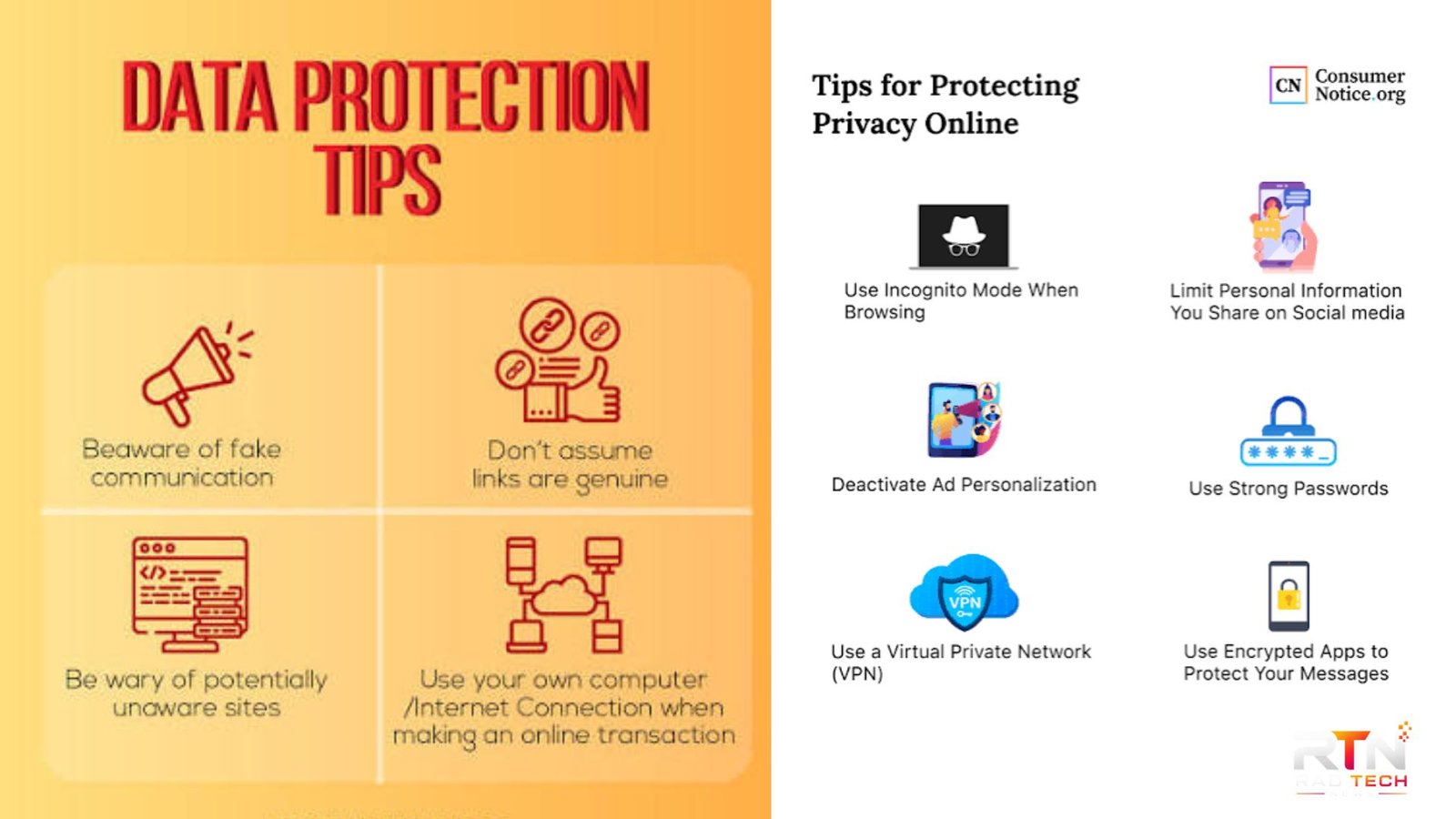
Personal information is collected whenever you create an account, shop online, use an app, browse a website, or connect a smart device. The challenge is knowing which information needs protection and what practical steps actually reduce your exposure. These data privacy tips focus on everyday actions that can make a meaningful difference without requiring advanced technical knowledge.
Privacy and cybersecurity overlap, but they are not identical. NIST describes privacy risk as something that can arise throughout the data life cycle, from collection and use to sharing and disposal. Strong security controls help, but privacy also involves understanding what information is collected, why it is needed, and how it is used.
Why Personal Data Privacy Matters
Personal data can include obvious details such as your name, email address, phone number, and home address. It can also include location information, browsing activity, purchase history, photographs, identifiers, and information connected to your devices or accounts.
The more information available about you, the more carefully it should be managed. Sensitive information deserves particular attention because misuse can create more serious consequences. The UK Information Commissioner’s Office (ICO), for example, identifies health, biometric, genetic, and certain other information as requiring stronger protection in relevant circumstances.
Good privacy practices are therefore not about disappearing from the internet. They are about making deliberate decisions about what you disclose, who receives it, and how long it remains accessible.
9 Practical Data Privacy Tips
1. Share Less Information
Before completing an online form, ask whether every requested field is genuinely necessary. A website may request information that is useful to its business but not essential to the service you want.
Avoid publicly posting details such as your full birth date, home address, travel plans, or personal contact information unless there is a clear reason to do so.
Data minimisation is a useful principle: the less unnecessary personal information you provide, the less information can later be exposed, misused, or retained.
2. Use Strong, Unique Passwords
Never rely on one password across multiple important accounts. If one service experiences a breach, reused credentials can put other accounts at risk.
A password manager can help you generate and store long, unique passwords. Prioritise your email account, banking, cloud storage, social media, and other accounts that could provide access to additional personal information.
3. Turn On Multi-Factor Authentication
Multi-factor authentication (MFA) adds another verification step beyond a password. Depending on the service, that might involve an authenticator app, security key, or another verification method.
Enable MFA on important accounts whenever it is available. It is especially valuable for accounts containing financial, identity, work, or personal information.
4. Review App Permissions
Apps often request access to location, contacts, microphones, cameras, photos, or other device functions. Review those permissions periodically rather than accepting them permanently.
If an app does not need continuous location access, for example, consider changing it to a more restrictive option or disabling access entirely. Recheck permissions after major app or operating-system updates.
5. Limit Tracking and Advertising Settings
Privacy settings can reduce some forms of tracking, but they do not make you completely anonymous. Review the privacy controls offered by your browser, operating system, social networks, and frequently used services.
Also examine cookie choices and advertising preferences where available. Pay attention to settings that allow information to be shared across services or used for personalised advertising.
6. Keep Devices and Software Updated
Security updates often address vulnerabilities that could otherwise expose accounts or personal information. Enable automatic updates when practical for your operating system, browser, applications, and security software.
Do not ignore update notifications indefinitely, particularly for devices that store sensitive information or provide access to important accounts.
7. Be Careful With Public Wi-Fi and Shared Devices
Public networks are not automatically unsafe, but you should avoid treating unfamiliar networks as trusted environments. Be particularly cautious when accessing sensitive accounts on shared or public devices.
Use HTTPS websites, keep your device protected with a passcode or biometric lock, and avoid saving passwords on computers that other people can access.
8. Delete Old Accounts and Unused Apps
Old accounts can retain personal information long after you stop using a service. If you no longer need an account, check whether you can delete it and remove associated applications from your devices.
Before deleting an account, download anything you genuinely need and review whether the service offers a formal data-deletion process.
9. Check Privacy Policies Before Sharing Sensitive Information
You do not need to read every privacy policy from beginning to end, but look for the practical details: what information is collected, why it is collected, who receives it, how long it may be retained, and what choices you have.
For businesses, privacy should be considered throughout collection, storage, use, sharing, and disposal. NIST’s Privacy Framework similarly encourages organisations to identify and manage privacy risks across the data life cycle.
| Privacy action | What to check | Why it helps |
|---|---|---|
| Account security | Unique passwords and MFA | Reduces account takeover risk |
| App permissions | Location, camera, microphone, contacts | Limits unnecessary access |
| Online sharing | Public profiles and posts | Reduces unwanted exposure |
| Old accounts | Unused services and stored data | Removes information you no longer need |
| Privacy settings | Tracking and advertising controls | Gives you greater control over data use |
💡 Pro Tip: Once every few months, perform a five-minute privacy audit. Review your email account’s signed-in devices, your most sensitive app permissions, your social-media visibility, and the accounts connected to your primary email address. This catches forgotten access more effectively than changing random settings.
Privacy Mistakes That Are Easy to Overlook
One common mistake is assuming that privacy settings are permanent. Services change features, introduce new settings, and redesign account controls. A setting that was appropriate last year may not reflect your current preferences.
Another mistake is protecting only digital accounts while ignoring physical information. Printed documents, unlocked screens, unattended devices, and incorrectly addressed emails can expose personal information too. The ICO recommends considering practical and technical safeguards based on the sensitivity and risks associated with the information.
Businesses should also avoid collecting information simply because storage is inexpensive. The ICO advises organisations to consider the risks associated with collecting, storing, using, sharing, and disposing of personal data, with stronger protection for higher-risk information.
📌 Key Takeaway: The strongest privacy routine is not one complicated security tool. It is a combination of smaller decisions: disclose less, use unique credentials, enable MFA, restrict permissions, update devices, review privacy settings, and remove information you no longer need.
Frequently Asked Questions
What are the most important data privacy tips for beginners?
Start with the basics: use unique passwords, enable multi-factor authentication, review app permissions, keep software updated, and avoid sharing unnecessary personal details. These measures address common sources of exposure without requiring specialist knowledge. After those steps, review privacy and advertising controls on the services you use most often.
How can I protect my personal information online?
Think before sharing information, especially on public profiles and unfamiliar websites. Secure important accounts with unique passwords and MFA, keep devices updated, and check what permissions apps have. You should also review old accounts and remove services you no longer use when practical.
Is using a VPN enough to protect my privacy?
No. A VPN can provide useful protection in certain network situations, but it does not prevent every form of tracking, data collection, phishing, account compromise, or oversharing. Privacy depends on several layers, including account security, device settings, browser controls, and the amount of information you choose to disclose.
Should I delete old online accounts?
If you no longer need an account, deletion can reduce the amount of personal information associated with services you no longer use. First check whether you need to retrieve files, receipts, or other records. Then follow the provider’s account-deletion process and review connected services.
What should businesses do to protect personal data?
Businesses should identify what personal data they hold, assess the risks, restrict access, use appropriate technical and organisational safeguards, train staff, and avoid retaining information longer than necessary. The right controls depend on the nature and risk of the processing rather than a single universal security checklist.
Conclusion
Good privacy does not require avoiding every online service. It requires being selective about what you share and deliberate about how your accounts, devices, and information are managed. The most useful data privacy tips are practical habits you can maintain: minimise unnecessary data, strengthen account security, review permissions, update software, and periodically remove information you no longer need.
Privacy is an ongoing process rather than a one-time settings change. A short review every few months can help you spot unnecessary access and make better decisions about the personal information you leave behind online.
