

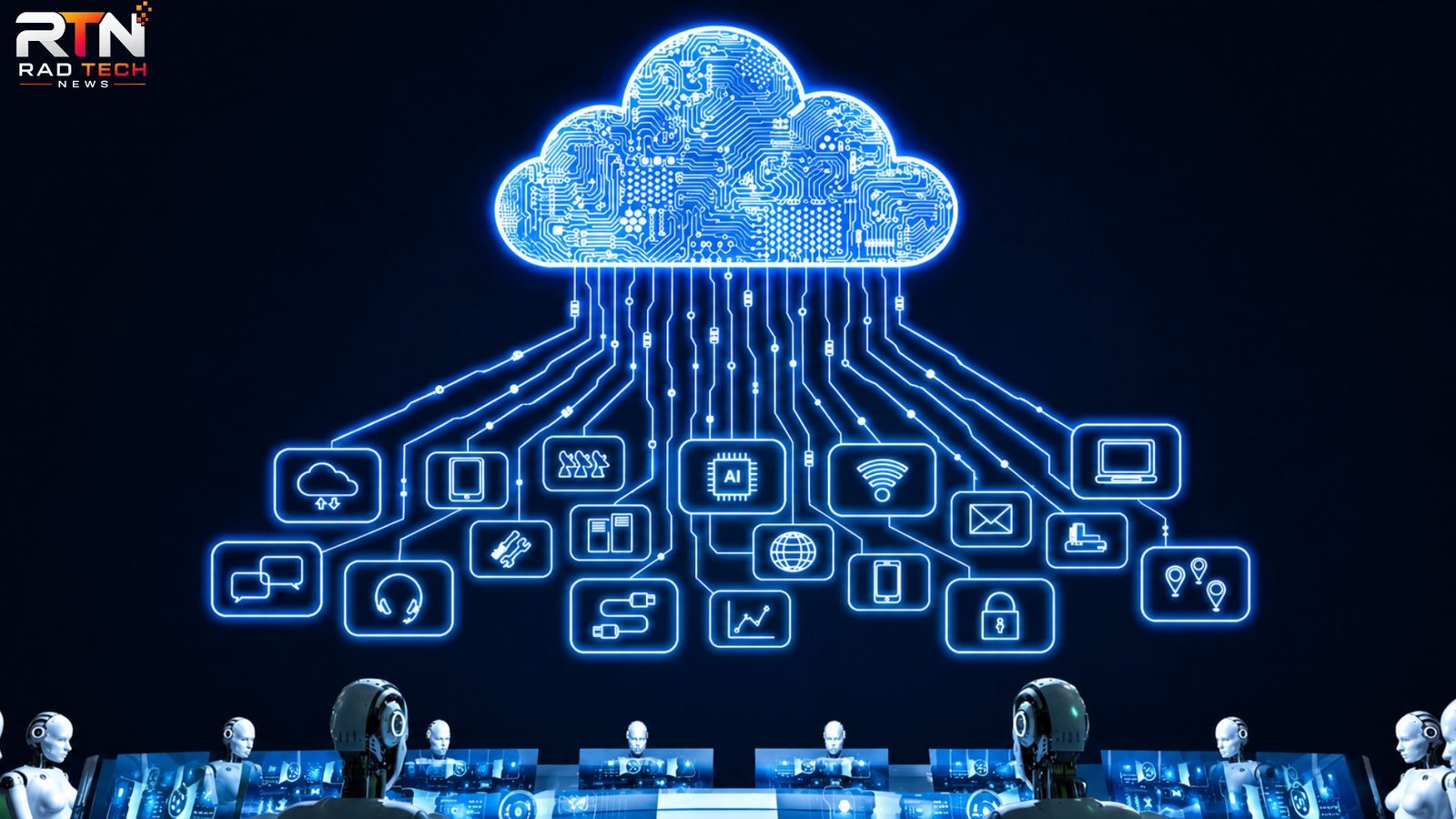
Cloud computing changes that model by allowing individuals and organizations to use computing resources over the internet instead of owning and maintaining all of the underlying hardware themselves. Storage, databases, processing power, networking, software, security tools, and even development environments can be provided when they are needed.
The practical benefit is not simply that data lives “in the cloud.” The bigger advantage is flexibility. A small company can access infrastructure that would once have required a substantial technology budget, while an established organization can scale resources up or down as demand changes.
This guide explains what cloud computing means, how cloud computing services work, the major service models, common business uses, potential drawbacks, and practical considerations for choosing the right approach.
What Is Cloud Computing?
Cloud computing is the delivery of computing resources over a network, usually the internet, on demand.
Instead of purchasing physical servers and running them in an office or private data center, an organization can rent computing capacity from a cloud provider. Depending on the service, the customer may pay for storage, processor usage, applications, databases, networking, or a combination of resources.
A simple example is online file storage. Rather than keeping every document exclusively on a computer’s hard drive, employees can store files on remote infrastructure and access them from authorized devices.
The same concept applies to much more demanding workloads. Businesses can run websites, enterprise applications, analytics systems, databases, artificial intelligence workloads, and development environments using cloud infrastructure.
The key characteristics are:
- On-demand resources: Computing capacity can be provisioned when required.
- Scalability: Resources can usually be increased or reduced as workloads change.
- Remote accessibility: Authorized users can access services from different locations.
- Resource sharing: Providers operate large infrastructure environments serving many customers.
- Usage-based economics: Many services charge according to consumption rather than requiring a large upfront hardware investment.
Cloud computing therefore represents more than remote storage. It is an alternative way of acquiring and operating technology infrastructure.
How Does Cloud Computing Work?
At the physical level, cloud computing still depends on real computers. Cloud providers operate large data centers containing servers, storage systems, networking equipment, power infrastructure, cooling systems, and security controls.
Customers interact with these resources through software interfaces, dashboards, APIs, or management tools.
Virtualization is one technology that makes this model practical. A physical server can be divided into multiple virtual environments, allowing computing resources to be allocated to different workloads.
For example, one physical machine might provide computing capacity for several virtual servers. If one application needs more resources, additional capacity can be allocated without the customer physically installing another machine.
Modern cloud platforms also use technologies such as containers, automated provisioning, distributed databases, load balancing, and orchestration systems.
This leads to an important practical distinction:
cloud computing does not eliminate infrastructure management; it changes who manages which parts of it.
A cloud customer may no longer need to maintain physical servers, but they still have responsibilities involving applications, accounts, configurations, permissions, data, and security.
Major Types of Cloud Computing Services
Cloud computing services are commonly divided into three major models: IaaS, PaaS, and SaaS.
Infrastructure as a Service (IaaS)
Infrastructure as a Service provides fundamental computing resources such as virtual machines, storage, and networking.
With IaaS, a business has considerable control over its environment. It can install operating systems, configure applications, and manage many aspects of the infrastructure.
This model is useful when a company needs flexibility but does not want to purchase physical servers.
A common example would be moving an existing business application from an on-premises server to virtual machines hosted by a cloud provider.
Platform as a Service (PaaS)
Platform as a Service goes a step further by handling more of the underlying infrastructure.
Developers can use managed environments to build, test, deploy, and operate applications without managing every server and operating-system component themselves.
PaaS can accelerate development because teams can concentrate more heavily on application logic rather than infrastructure maintenance.
Software as a Service (SaaS)
Software as a Service provides complete applications through the internet.
Email platforms, online accounting systems, collaboration software, customer relationship management systems, and many productivity applications fall into this category.
The provider typically handles infrastructure, application maintenance, updates, and much of the technical operation.
For many businesses, SaaS is the most familiar form of cloud computing because employees use it every day without thinking about the servers behind it.
Public, Private, and Hybrid Cloud
Cloud environments can also be categorized according to how infrastructure is deployed.
Public Cloud
Public cloud infrastructure is operated by a cloud provider and made available to multiple customers.
It is attractive for businesses that want rapid provisioning, broad scalability, and access to a large range of managed services without building their own data center.
Private Cloud
A private cloud environment is dedicated to a particular organization.
It can provide greater control over infrastructure and configurations, although the organization may have more responsibility for operating and maintaining the environment.
Private cloud approaches can make sense when specific regulatory, technical, or operational requirements justify dedicated infrastructure.
Hybrid Cloud
Hybrid cloud combines private infrastructure with public cloud resources.
For example, a company might keep certain sensitive workloads in a controlled environment while using public cloud services for applications that need flexible capacity.
This can be powerful, but it also introduces complexity. Connecting environments, managing identities, monitoring workloads, and maintaining consistent security policies require careful planning.
What Are Cloud Computing Services Used For?
Cloud services support a wide range of real-world workloads.
Website and Application Hosting
Instead of purchasing a server specifically for a website, businesses can host applications on scalable cloud infrastructure.
This becomes particularly useful when traffic is unpredictable. An online retailer, for example, may need significantly more computing resources during a major sale than during a quiet weekday.
Data Storage and Backup
Cloud storage can provide centralized access to business documents, application data, backups, and archives.
However, simply storing data in the cloud should not be confused with having a complete backup strategy. A robust backup plan should consider accidental deletion, corruption, ransomware, retention periods, and recovery procedures.
Software Development
Development teams can create temporary testing environments, deploy applications quickly, and automate parts of their software delivery process.
A developer might create a test environment in minutes, use it for a project, and remove it when it is no longer required.
Data Analytics
Organizations can process large datasets without necessarily purchasing enough physical infrastructure to handle their maximum possible workload.
Cloud-based analytics can be especially useful when demand varies significantly over time.
Artificial Intelligence and Machine Learning
AI workloads can require substantial computing resources, particularly during model training or large-scale inference.
Cloud platforms allow organizations to access specialized computing resources without permanently owning the hardware.
Cloud Computing vs. Traditional IT Infrastructure
The biggest difference is the ownership and management model.
| Traditional Infrastructure | Cloud Computing |
|---|---|
| Organization purchases hardware | Resources are typically rented or consumed as a service |
| Capacity is planned in advance | Capacity can often be adjusted |
| Hardware maintenance is the organization’s responsibility | Provider manages much of the physical infrastructure |
| Large upfront investment may be required | Costs can shift toward ongoing operational spending |
| Scaling can take time | Resources can often be provisioned quickly |
| Physical location is more significant | Resources can be accessed remotely |
Cloud is not automatically cheaper, however.
A poorly designed cloud environment can become surprisingly expensive. Resources left running unnecessarily, excessive data transfer, oversized virtual machines, duplicate services, and weak cost monitoring can all increase monthly bills.
The better question is not “Is cloud cheaper?” but
“Which operating model gives us the right combination of cost, flexibility, performance, security, and control?”
Benefits of Cloud Computing
Cloud computing offers several practical advantages.
Scalability
Businesses can increase resources when demand rises and reduce them when demand falls.
This is particularly valuable for applications with seasonal or unpredictable traffic.
Faster Deployment
New servers, databases, development environments, and services can often be created much faster than physical infrastructure can be purchased and installed.
Reduced Hardware Responsibility
The cloud provider handles much of the physical infrastructure, including data center facilities, hardware maintenance, and underlying networking.
Business Continuity
Cloud-based architectures can be designed with redundancy across multiple systems or locations.
This can reduce dependence on a single physical machine, although availability still depends heavily on how the customer designs the architecture.
Access to Advanced Technology
Cloud platforms can make technologies such as managed databases, large-scale analytics, automated security services, and specialized computing resources accessible without building everything internally.
Common Cloud Computing Mistakes
Cloud adoption can fail when organizations treat it as a simple relocation exercise.
Moving Everything Without Redesigning
An old application may run in the cloud but perform poorly or cost more than expected.
Sometimes the application architecture needs to change rather than simply being transferred to a virtual machine.
Ignoring Cost Monitoring
Teams often focus on deployment speed and postpone financial controls.
A better approach is to establish budgets, alerts, resource tagging, usage reviews, and ownership from the beginning.
Assuming the Provider Handles All Security
Cloud providers secure their underlying infrastructure, but customers are still responsible for many security decisions.
Weak passwords, excessive permissions, exposed storage, insecure application configurations, and poorly protected credentials can create serious problems.
Keeping Resources Forever
Temporary testing servers, unused databases, old snapshots, and forgotten development environments can quietly consume money.
One useful operational habit is to review resources regularly and automatically shut down or remove those that are no longer needed.
Three Often-Overlooked Insights About Cloud Computing
Cloud Adoption Is Often an Operations Problem, Not a Technology Problem
A company can have excellent cloud technology and still struggle if nobody owns costs, permissions, monitoring, backups, and deployment policies.
Successful cloud adoption usually requires changes to processes and responsibilities as much as changes to infrastructure.
The Most Expensive Cloud Resource Can Be Complexity
Organizations sometimes add multiple managed services because each one appears useful individually.
Over time, the architecture can become difficult to understand and maintain. A slightly simpler system can sometimes deliver better long-term value than an extremely sophisticated one.
Designing for Failure Matters More Than Simply Choosing a Provider
Cloud infrastructure can be highly reliable, but no architecture should assume that every component will always work.
Applications should be designed with appropriate backups, redundancy, monitoring, recovery procedures, and failure testing. The real question is not whether something can fail; it is how the system behaves when it does.
How to Choose the Right Cloud Computing Services
Before selecting a service, start with the workload rather than the technology.
Ask:
- What application or business problem are we solving?
- How much computing and storage capacity is actually required?
- Does demand change significantly throughout the day or year?
- What security and compliance requirements apply?
- How quickly must the system recover after an outage?
- Who will manage the environment?
- How will cloud spending be monitored?
- Is the application suitable for a managed service, or does it require deeper infrastructure control?
A small company with standard business software may benefit most from SaaS applications. A development team building a new product may prefer managed platform services. An organization migrating a complex legacy application may initially need IaaS.
There is no single cloud model that is ideal for every workload.
Frequently Asked Questions
What is cloud computing in simple terms?
Cloud computing means using computing resources over a network instead of owning all the physical infrastructure yourself. These resources can include servers, storage, databases, software, and networking. The provider operates the underlying infrastructure while the customer uses the services according to their requirements.
What are cloud computing services?
Cloud computing services are technology resources delivered on demand through cloud infrastructure. Common examples include virtual servers, cloud storage, managed databases, software applications, development platforms, networking, analytics, and AI services. They allow organizations to use technology without necessarily purchasing and maintaining the underlying physical equipment.
Is cloud computing cheaper than traditional servers?
It can be, but there is no universal answer. Cloud services can reduce upfront hardware costs and make it easier to scale resources according to demand. However, poorly managed usage, unnecessary resources, and data-transfer charges can make cloud infrastructure expensive.
Is cloud computing secure?
Cloud computing can provide strong security, but security is shared between the provider and customer. Providers generally protect the physical infrastructure and underlying cloud platform, while customers remain responsible for areas such as identities, permissions, application security, and data configuration. Good security therefore depends on both the provider and how the environment is designed and managed.
Which type of cloud computing is best for a small business?
For many small businesses, SaaS is the simplest starting point because the provider manages most technical responsibilities. Companies with custom applications may need IaaS or PaaS instead. The right choice depends on technical requirements, budget, security needs, and how much infrastructure management the business wants to handle.
Conclusion
Cloud computing has changed the way organizations acquire and operate technology. Instead of treating servers, storage, and software as permanent physical assets, businesses can consume many of these capabilities as flexible services.
The real value goes beyond avoiding hardware purchases. Cloud computing can help organizations deploy applications faster, respond to changing demand, access advanced technology, and build more resilient systems.
At the same time, moving to the cloud does not automatically make an organization faster, cheaper, or more secure. Those outcomes depend on architecture, governance, cost management, security practices, and operational discipline.
