
Computers power nearly every part of modern life, from online education and banking to healthcare, communication, business, and entertainment. Yet, understanding how these systems work, which technologies are changing the industry, and what career opportunities they offer can feel confusing. Computer technology connects hardware, software, networking, data, and intelligent systems to solve real-world problems. This guide explains its essential components, emerging trends, educational paths, job opportunities, and practical benefits in simple language.
What Is Computer Technology?
Computer technology refers to the hardware, software, electronic systems, networks, and digital tools that help people create, process, store, manage, and share information. It includes physical devices such as computers, servers, processors, storage drives, and networking equipment, alongside operating systems, applications, and digital services.
The technology works together to perform tasks quickly, automate processes, improve communication, and help people make informed decisions.
For example, when someone sends an email, a computer processes the message, software manages the information, and a network delivers it to the recipient. These connected processes demonstrate how different technological components work together.
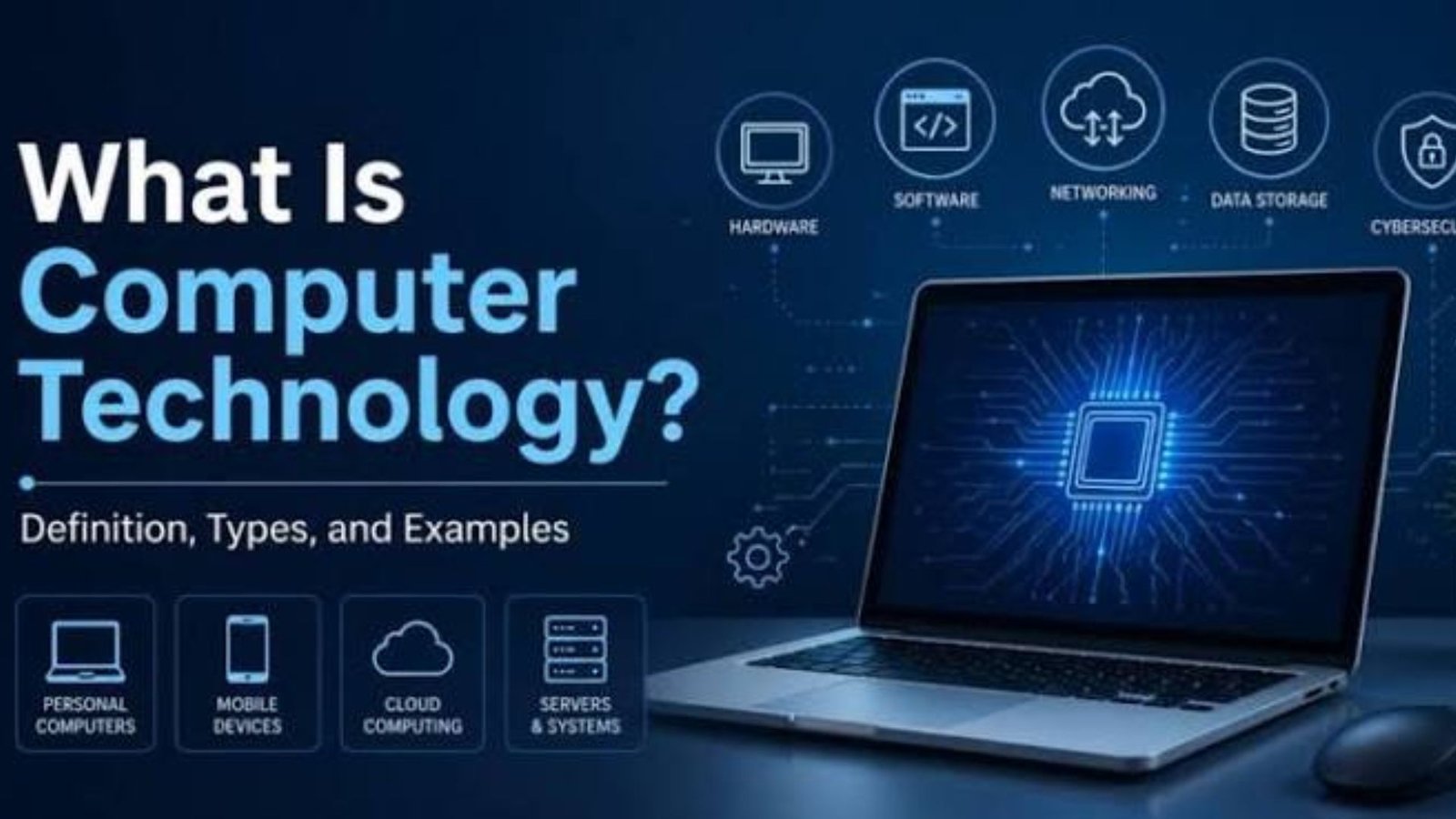
Key components of computer technology
- Hardware: Physical devices, including CPUs, monitors, keyboards, memory, and storage.
- Software: Programs, operating systems, applications, and digital tools.
- Networking: Technologies that connect computers and allow data sharing.
- Data: Information collected, processed, stored, and analyzed.
- Cybersecurity: Tools and practices that protect systems and information.
- Cloud services: Online computing resources available through internet connections.
How Does Computer Technology Work?
Computer systems use a series of connected operations to transform information into useful results. Although different devices have different capabilities, most computers follow a similar basic process.
Input → Processing → Storage → Output
| Stage | What Happens | Example |
|---|---|---|
| Input | A user or device provides information | Typing a message |
| Processing | The processor executes instructions | Calculating or organizing data |
| Storage | Information is saved temporarily or permanently | Saving a document |
| Output | The system displays or delivers results | Showing text on a screen |
| Communication | Devices exchange information | Sending files over a network |
A computer uses its processor, memory, software, and storage to complete these operations. Modern systems can also perform several tasks simultaneously, connect to remote services, and automate repetitive work.
What Are the Main Types of Computer Technology?
Different types of computing systems support different activities. Understanding these categories helps users choose suitable devices, software, and career paths.
| Type | Description | Common Applications |
|---|---|---|
| Personal computing | Desktop and laptop computers | Education, work, entertainment |
| Mobile computing | Smartphones and tablets | Communication, mobile apps |
| Cloud computing | Internet-based computing resources | Online storage, hosting, business software |
| Networking technology | Connected devices and communication systems | Wi-Fi, LAN, internet access |
| Artificial intelligence | Systems that perform intelligent tasks | Automation, chatbots, data analysis |
| Embedded computing | Computers built into other devices | Cars, appliances, industrial equipment |
| Quantum computing | Computing systems using quantum principles | Scientific research, complex simulations |
| Edge computing | Processing data closer to its source | Smart sensors, connected devices |
These categories often overlap. A smartphone, for instance, combines mobile computing, cloud services, networking, software, and AI-powered features.
Why Is Computer Technology Important?
Digital systems help individuals, businesses, schools, governments, and healthcare providers perform tasks more efficiently. They make information easier to access, improve communication, and support innovation across industries.
The major benefits include:
- Better productivity: Automation reduces repetitive manual tasks.
- Faster communication: Email, messaging, video calls, and collaboration tools connect people.
- Improved data management: Digital storage helps organizations organize and retrieve information.
- Remote access: Cloud services allow users to work from different locations.
- Enhanced security: Security systems help protect sensitive data and digital infrastructure.
- Innovation: New computing tools support research, engineering, business development, and creative work.
From small businesses to large corporations, computing systems help organizations operate, compete, and adapt to changing customer needs.
What Is the Latest Computer Technology in 2026?
New computer technology continues to change how people work, communicate, learn, and manage businesses. Developers are improving processors, software, artificial intelligence, cloud infrastructure, digital security, and connected devices.
The latest computer technology focuses on improving speed, accessibility, automation, energy efficiency, and digital safety.
Important technology trends include:
- Artificial intelligence (AI): AI-powered systems assist with writing, programming, research, data analysis, customer service, and automation.
- Generative AI: Tools can create text, images, audio, code, and other content based on user instructions.
- Advanced computing chips: New processors and AI accelerators support demanding workloads.
- Edge computing: Devices process information closer to where data is collected, reducing dependence on distant servers.
- Cybersecurity innovation: Organizations use advanced monitoring, identity protection, encryption, and automated threat detection.
- Smart devices: Connected systems improve home automation, manufacturing, transportation, and healthcare.
- Quantum research: Scientists investigate computing methods that could help solve certain specialized problems.
These developments are changing the direction of computing, but their usefulness depends on practical applications, cost, security, and real-world performance.
How Does Cloud Computer Technology Work?
Cloud computer technology allows users to access computing resources through the internet instead of relying entirely on local hardware. Cloud providers operate data centers that deliver storage, applications, databases, virtual machines, and processing power.
Users can access these resources through computers, smartphones, tablets, and other connected devices.
Common cloud computing services:
| Cloud Service | Function | Example Application |
|---|---|---|
| IaaS | Provides virtual servers, storage, and networks | Hosting websites |
| PaaS | Provides development environments | Building software applications |
| SaaS | Delivers ready-to-use software online | Email and collaboration tools |
| Cloud storage | Stores files on remote servers | Backing up documents |
| Cloud databases | Organizes remotely accessible data | Managing customer records |
Cloud computing helps organizations scale resources, support remote work, and reduce the need to maintain every server themselves. However, companies must consider privacy, internet reliability, access controls, costs, and data protection.
What Is Computer Technology and Networking?
Computer technology and networking connect computers, servers, smartphones, printers, and other devices so they can exchange information and share resources.
Networks support communication within homes, offices, schools, hospitals, and global organizations. They allow people to access websites, share files, use cloud services, and communicate remotely.
Common networking technologies
| Networking Technology | Meaning | Typical Use |
|---|---|---|
| LAN | Local Area Network | Connecting devices within an office |
| WAN | Wide Area Network | Connecting distant offices |
| WLAN | Wireless Local Area Network | Wi-Fi connectivity |
| VPN | Virtual Private Network | Secure remote access |
| Ethernet | Wired networking technology | Connecting computers and servers |
| DNS | Domain Name System | Translating domain names into IP addresses |
Networking professionals configure routers, switches, wireless access points, firewalls, servers, and network monitoring tools. Their work helps organizations maintain reliable connections and protect information.
What Is Computer Technology Engineering?
Computer technology engineering combines hardware knowledge, electronics, computing systems, programming, and practical engineering principles.
Professionals in this field may design, test, maintain, or improve computer systems and electronic devices. Depending on their specialization, they may work with microprocessors, embedded systems, robotics, communication devices, industrial equipment, or computer hardware.
Skills needed for computer technology engineering
- Understanding computer hardware and electronic circuits.
- Programming and software development.
- Troubleshooting and technical problem-solving.
- Digital systems and embedded computing.
- Networking and communication systems.
- Testing, documentation, and system design.
Computer technology engineering may suit students who enjoy practical technical work, building systems, understanding electronics, and solving engineering problems.
What Is Quantum Computer Technology?
Quantum computer technology uses principles of quantum physics to process information in ways that differ from traditional computing.
Classical computers use bits represented by 0 or 1. Quantum computers use quantum bits, known as qubits, which can exhibit quantum states such as superposition and entanglement.
Researchers are exploring quantum computing for selected problems in chemistry, materials science, optimization, and scientific research.
| Classical Computing | Quantum Computing |
|---|---|
| Uses classical bits | Uses quantum bits or qubits |
| Supports everyday computing tasks | Targets specialized computational problems |
| Mature, widely available technology | Still developing and research-intensive |
| Powers PCs, smartphones, and servers | Explored for specialized scientific applications |
Quantum systems are not replacements for ordinary computers in everyday tasks. They remain challenging to build, maintain, and operate, and their practical advantages depend on the problem being solved.
What Is a Computer Technology Degree?
A computer technology degree teaches students how computer systems work, how to maintain digital infrastructure, and how to solve technical problems.
Depending on the institution, students may focus on information technology, computer networking, software development, cybersecurity, computer engineering, or systems administration.
Common computer technology degree options
| Degree | Typical Focus | Potential Career Path |
|---|---|---|
| Associate degree | IT fundamentals and technical support | IT support technician |
| Bachelor’s degree | Systems, networking, programming, and security | IT specialist or systems analyst |
| Master’s degree | Advanced computing and specialization | Senior technical or research roles |
| Certificate | Specific practical skills | Entry-level or specialized technician |
An online computer technology degree may offer flexible learning for students who work or have other responsibilities. Online programs can include lectures, assignments, virtual labs, and projects.
Before enrolling, check the institution’s accreditation, course content, practical training, tuition, student support, and career outcomes.
What Does a Computer Technology Course Teach?
A computer technology course helps students build technical skills through structured learning and practical activities.
Courses range from beginner-level computer literacy to advanced programming, networking, cybersecurity, and cloud infrastructure.
| Course Topic | Skills Students Learn |
|---|---|
| Computer fundamentals | Hardware, operating systems, and basic troubleshooting |
| Programming | Coding, logic, and application development |
| Networking | IP addresses, routers, switches, and network configuration |
| Cybersecurity | Security fundamentals, risk management, and protection |
| Database management | SQL, data organization, and database concepts |
| Cloud computing | Cloud services, virtual machines, and deployment |
| Operating systems | Linux, Windows, configuration, and maintenance |
| Web development | HTML, CSS, JavaScript, and website development |
Practical learning matters. Students should practice using virtual machines, coding environments, networking simulators, operating systems, and real or simulated troubleshooting exercises.
A course that combines theory with projects can help learners demonstrate their abilities to employers.
What Are Computer Technology Jobs and Career Opportunities?
Computer technology jobs cover a wide range of occupations. Some professionals develop software, while others manage computer systems, maintain networks, protect information, or help users solve technical problems.
Technology careers exist in healthcare, finance, education, retail, government, manufacturing, entertainment, and many other industries.
Popular computer technology jobs
| Job Title | Main Responsibilities | Important Skills |
|---|---|---|
| IT Support Specialist | Troubleshoots computer and software problems | Communication, troubleshooting |
| Network Administrator | Maintains network connections and equipment | Networking, security |
| Software Developer | Builds and maintains software applications | Programming, testing |
| Cybersecurity Analyst | Monitors systems and protects information | Security, risk analysis |
| Systems Administrator | Manages servers and operating systems | Linux, Windows, infrastructure |
| Data Analyst | Collects and analyzes data | SQL, spreadsheets, visualization |
| Cloud Engineer | Manages cloud infrastructure | Cloud platforms, automation |
| Web Developer | Builds and maintains websites | HTML, CSS, JavaScript |
| Database Administrator | Maintains databases and access controls | SQL, database management |
| Computer Engineer | Develops or works with computing hardware | Electronics, hardware design |
The U.S. Bureau of Labor Statistics Occupational Outlook Handbook reports that computer and information technology occupations are projected to grow faster than the average for all occupations between 2025 and 2035. The agency also projects approximately 280,000 openings per year across these occupations on average.
These figures describe the U.S. labor market and should not be applied directly to other countries.
How Much Is Computer Technology Salary?
Computer technology salary depends on the job title, qualifications, location, industry, experience, employer, and technical skills.
Some entry-level positions offer opportunities to gain experience and move into higher-paying specialized roles. Professionals with advanced skills in cybersecurity, software engineering, cloud infrastructure, data, or systems architecture may qualify for different salary levels.
U.S. computer and IT occupation salary examples
The following figures are 2025 median annual wages reported by the U.S. Bureau of Labor Statistics.
| Occupation | U.S. Median Annual Salary |
|---|---|
| Computer Support Specialists | $62,890 |
| Network and Computer Systems Administrators | $99,130 |
| Computer Programmers | $100,390 |
| Computer Systems Analysts | $105,850 |
| Database Administrators and Architects | $126,760 |
| Information Security Analysts | $129,180 |
| Software Developers, QA Analysts and Testers | $134,040 |
| Computer Network Architects | $134,050 |
| Computer and Information Research Scientists | $140,300 |
Source: U.S. Bureau of Labor Statistics, 2025 median annual wage data. These are occupational figures, not guaranteed salaries for graduates of a specific degree.
Salary comparisons should consider living costs, job responsibilities, benefits, experience requirements, and local employment conditions rather than salary alone.
How Can Students Find Computer Technology Student Jobs?
Computer technology student jobs can help learners gain practical experience while studying. Employers often value students who can demonstrate technical ability, communication skills, problem-solving, and a willingness to learn.
Students can search for internships, part-time support roles, junior technician positions, freelance projects, and campus IT jobs.
Ways to find student jobs
- Apply for IT support and help desk internships.
- Look for campus computer lab assistant positions.
- Build small websites, applications, or networking projects.
- Learn basic hardware installation and troubleshooting.
- Develop a portfolio showing practical work.
- Join technology clubs, competitions, or student communities.
- Practice technical interviews and communication skills.
- Search job boards for internships and entry-level opportunities.
Students do not always need extensive professional experience to begin. A portfolio containing practical projects, certifications, and well-documented skills can help demonstrate their capabilities.
What Is Manhattan School of Computer Technology?
Manhattan School of Computer Technology is a name associated with a vocational and career-focused educational institution in New York. Students researching the school should review its current programs, admissions requirements, accreditation or authorization status, tuition, student support, and employment-related training before making a decision.
When comparing technical institutions, consider the following:
- Does the school offer programs relevant to your career goals?
- Are its qualifications recognized by employers or relevant authorities?
- Does it offer practical laboratory training?
- Are career counseling and job placement services available?
- Does the tuition fit your budget?
- Can you access financial aid if eligible?
The right school should provide useful skills, credible qualifications, practical learning, and clear information about its programs.
How Does Computer Technology Help Businesses?
Businesses use digital systems to improve operations, manage information, communicate with customers, and make decisions.
Computer technology solutions can support companies of different sizes, from independent retailers to multinational organizations.
| Business Need | Technology Solution | Benefit |
|---|---|---|
| Communication | Email, messaging, video meetings | Faster collaboration |
| Data storage | Cloud storage and databases | Organized information |
| Customer management | CRM software | Better customer relationships |
| Security | Firewalls and access controls | Reduced security risks |
| Accounting | Financial software | Easier record management |
| Automation | Workflow and AI tools | Reduced repetitive work |
| Remote work | Cloud applications and VPNs | Flexible working arrangements |
| Marketing | Analytics and digital platforms | Improved campaign insights |
Businesses should select technology based on actual needs, security requirements, cost, scalability, and ease of use. Buying more technology does not automatically improve performance; the right tools and implementation matter.
How to Write a Computer Technology Resume Example
A good resume should clearly show your technical skills, education, projects, certifications, and relevant work experience. Students and beginners can include practical projects even if they have not worked in a professional IT role.
Computer technology resume example
Sample resume structure for an entry-level IT position
| Resume Section | Example Content |
|---|---|
| Professional Summary | Entry-level IT professional with foundational knowledge of computer hardware, networking, operating systems, and technical troubleshooting. |
| Technical Skills | Windows, Linux basics, networking fundamentals, hardware troubleshooting, Microsoft Office |
| Education | Diploma, certificate, or degree in information technology or a related field |
| Projects | Installed an operating system, configured a basic network, and documented troubleshooting procedures |
| Certifications | Relevant IT certifications, where earned |
| Experience | Internships, student jobs, volunteer IT work, or relevant employment |
| Soft Skills | Communication, teamwork, time management, problem-solving |
Example professional summary:
Entry-level IT candidate with hands-on experience in computer troubleshooting, basic networking, software installation, and operating system configuration. Interested in providing technical support, maintaining computer systems, and developing professional skills through practical work.
Applicants should adjust their resumes for each job and include only skills and qualifications they can genuinely demonstrate.
When Is Computer Technology Used in Everyday Life?
People use computing systems throughout their daily routines, often without thinking about the technology behind them.
| Everyday Activity | Technology Involved |
|---|---|
| Online banking | Secure applications, databases, encryption |
| Shopping online | Websites, payment systems, cloud services |
| Watching videos | Streaming servers and internet networks |
| Online education | Learning platforms and digital applications |
| Healthcare appointments | Electronic records and communication systems |
| Navigation | GPS, mobile devices, mapping software |
| Smart homes | IoT devices, sensors, wireless connections |
| Social media | Servers, algorithms, databases, networks |
These applications show how computing has become part of everyday communication, work, education, transportation, and entertainment.
Where Can You Find Computer Technology News?
Computer technology news helps readers follow new developments in hardware, AI, cybersecurity, software, cloud services, networking, and digital innovation.
Readers can stay informed by following technology publications, official company announcements, research institutions, industry reports, and university research departments.
When evaluating technology news, look for:
- Original research or official announcements.
- Technical details rather than exaggerated headlines.
- Independent confirmation where appropriate.
- Clear explanations of limitations and practical applications.
- Information about privacy, security, and potential risks.
Following reliable sources can help students, professionals, and business owners make informed decisions about emerging technology.
How to Start Learning Computer Technology
Beginners can build their skills gradually without needing expensive equipment or advanced knowledge.
A simple six-step learning roadmap:
- Learn computer basics: Understand hardware, operating systems, files, and software installation.
- Practice troubleshooting: Solve common computer problems and learn how to identify their causes.
- Study networking: Learn IP addresses, Wi-Fi, DNS, routers, and basic network security.
- Learn programming: Start with Python or another beginner-friendly programming language.
- Explore specialization: Choose cybersecurity, cloud computing, software development, data, or networking.
- Build practical projects: Create a portfolio, document your work, and apply for internships or entry-level jobs.
Consistent practice, curiosity, and a willingness to solve problems can help learners progress from basic computer skills to professional technical knowledge.
Frequently Asked Questions (FAQs)
1. What is computer technology in simple words?
Computer technology includes computers, software, networks, and digital systems that help people process information, perform tasks, communicate, and solve problems.
2. Is computer technology a good career?
Yes, it can be a rewarding career for people who enjoy problem-solving, technology, and continuous learning. Career opportunities include IT support, cybersecurity, networking, software development, cloud computing, and systems administration.
3. What skills are needed for computer technology?
Important skills include computer troubleshooting, networking, operating systems, programming, cybersecurity fundamentals, communication, analytical thinking, and problem-solving.
4. Can I learn computer technology without a degree?
Yes. You can develop practical skills through online courses, certifications, personal projects, internships, and self-study. Some positions require formal degrees, while others focus more on experience and demonstrated technical abilities.
5. What is the difference between computer technology and computer science?
Computer technology generally focuses on applying, maintaining, configuring, and supporting computer systems and digital infrastructure. Computer science focuses more on algorithms, programming theory, computational problem-solving, and the foundations of computing, although the two fields overlap.
6. What is the future of computer technology?
The future will likely involve continued advances in artificial intelligence, cloud infrastructure, cybersecurity, robotics, advanced processors, connected devices, and quantum computing research. These developments may create new applications and change how businesses and individuals use digital systems.
Conclusion
Computer technology is an essential part of modern society, supporting communication, education, healthcare, business, research, entertainment, and countless everyday activities. Understanding its foundations helps people make better decisions about digital tools, educational opportunities, and career paths.
From computer hardware and networking to AI, cloud services, and quantum research, the field continues to evolve. Students can begin with basic skills, develop practical experience, and gradually specialize in areas that match their interests.
The best way to understand technology is to learn it, practice it, and apply it to real problems. Whether you are exploring a degree, searching for a job, or simply learning new skills, developing your technical knowledge can open valuable opportunities.
